Creating a New Agent
To create a new agent, click the + New Service Agent button on the agent listing page.
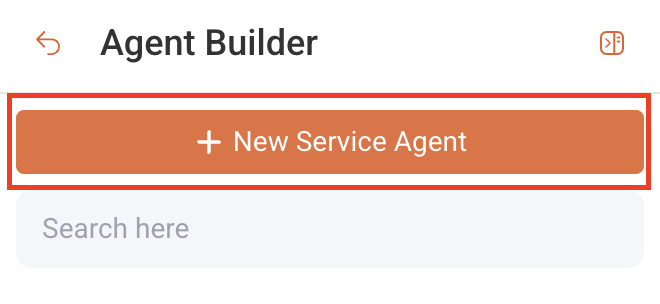
Clicking the button opens the Create Service Agent form.
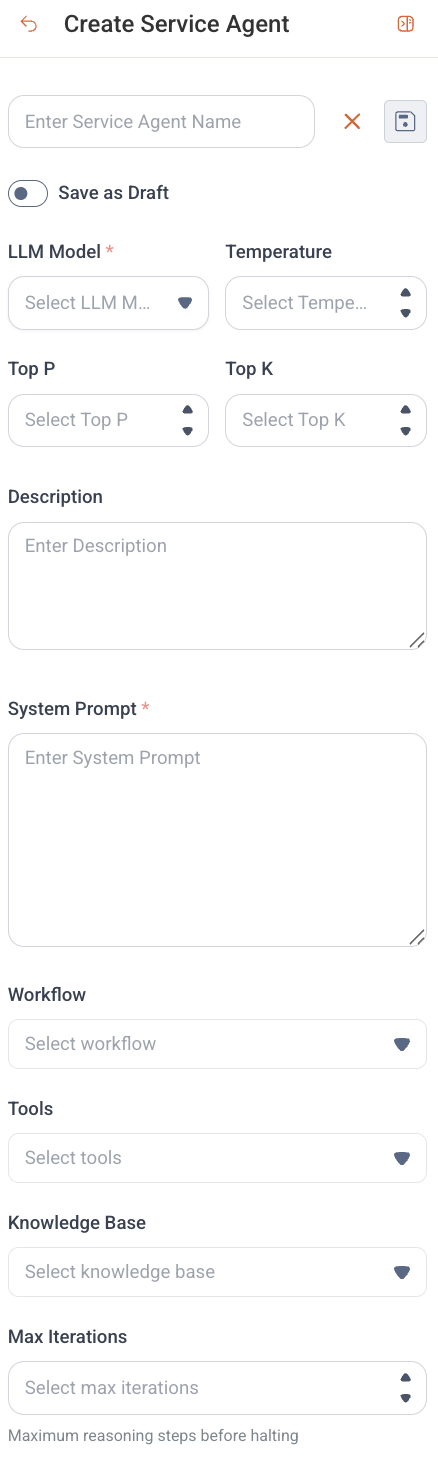
Fill in the following fields to configure your agent:
| Field | Mandatory | Description |
|---|---|---|
| Agent Name | Yes | The name for the new agent |
| Save as Draft | No | Save the agent as a draft instead of publishing it immediately |
| LLM Model | Yes | The language model that powers the agent, e.g. Gemini 2.5 Flash |
| Temperature | No | Controls the randomness of the model's responses |
| Top P | No | Controls response diversity by limiting token selection to a probability threshold |
| Top K | No | Controls response diversity by limiting token selection to a fixed number of choices |
| Description | No | A short description of what the agent does |
| System Prompt | Yes | The base instructions that define the agent's behavior |
| Workflow | No | The workflow the agent follows, if any |
| Tools | No | The tools the agent can use |
| Knowledge Base | No | The knowledge base the agent can reference |
| Max Iterations | No | The maximum number of reasoning steps the agent takes before halting |
Once you've filled in the necessary fields, click the Save icon to create your new agent.
