Edit an External Source
This page explains how to edit or delete an existing external source in API Test.
Open the Form
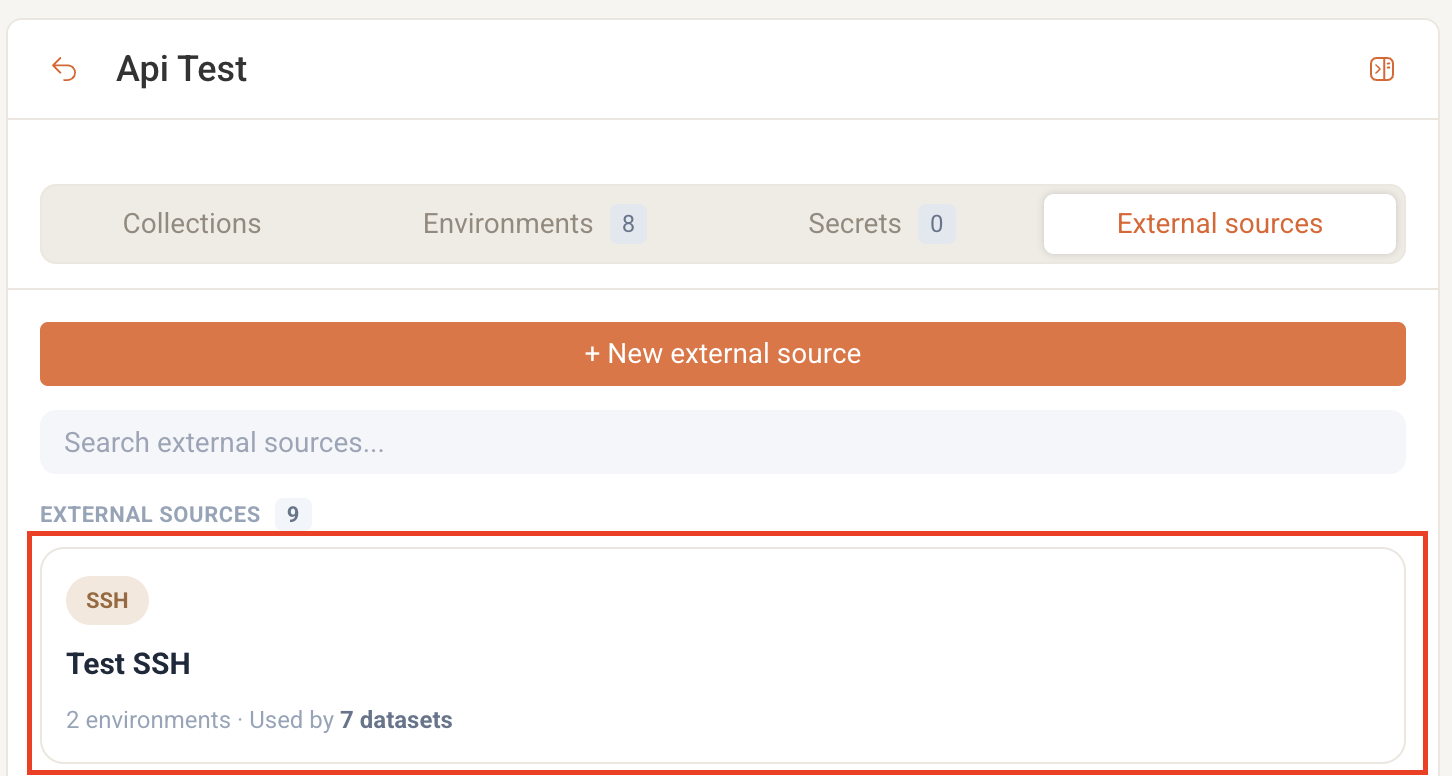
Select the external source you want to edit.
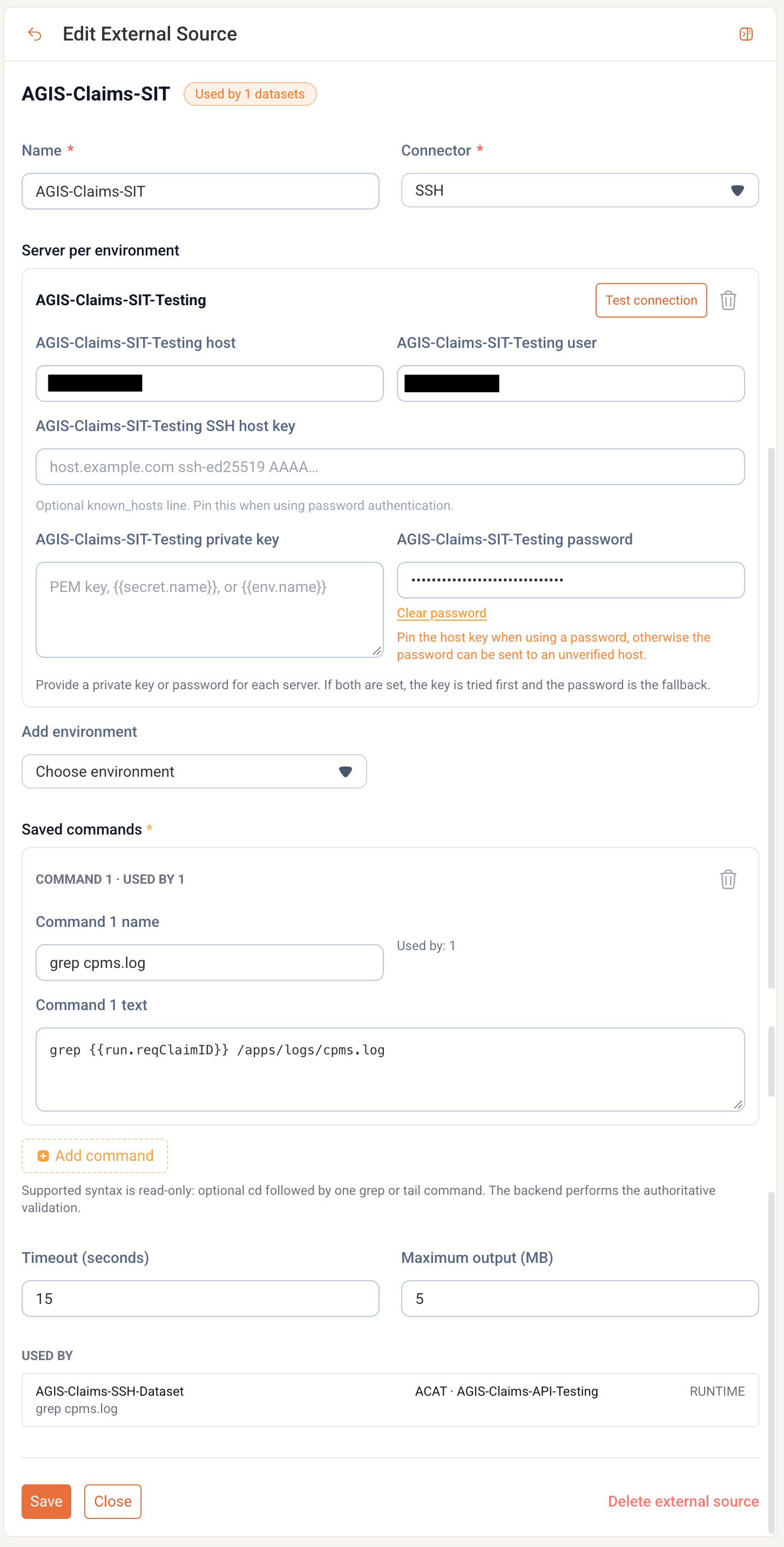
The Edit External Source form opens. Below the form title, the name of the external source is shown with a badge that tells how many datasets use it, such as Used by 1 datasets.
To go back to the list, select the back button at the top left of the page.
Edit the Details
The form has the same fields as the new external source form. See Create a New External Source for what each field means. You can change the following:
- Name — the name of the external source
- Connector — the connector type, such as
SSH - Server per environment — the server of each environment. See Edit a Server
- Saved commands — the commands of the external source. See Edit Saved Commands
- Timeout (seconds) and Maximum output (MB) — such as
15and5
After you make changes, select Save to save them. Select Close to close the form.
Edit a Server
Each environment of the external source has its own card in Server per environment, named after the environment. The card has the following fields: host, user, SSH host key, private key, and password.
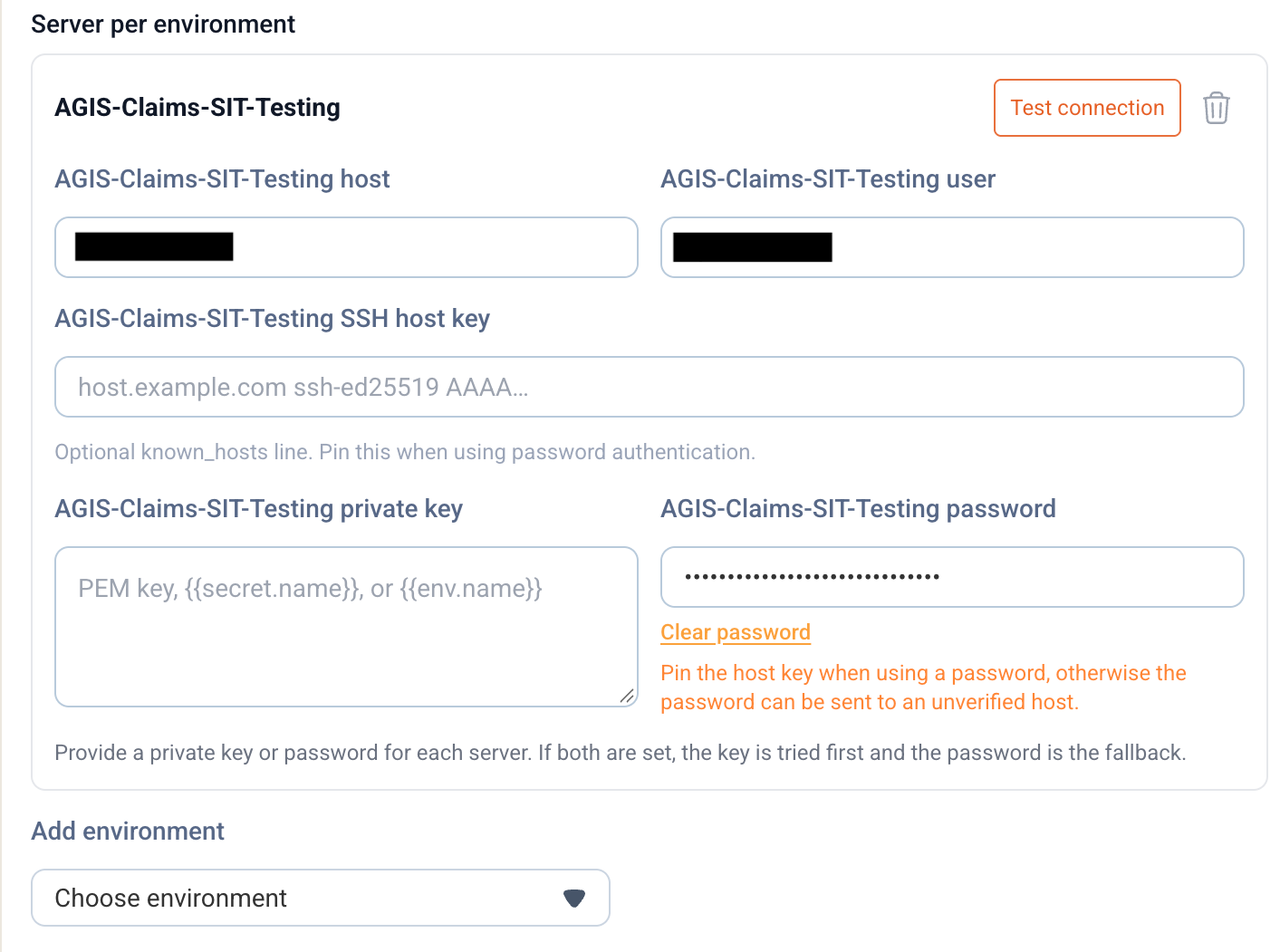
- To check the connection of an environment, select Test connection on its card.
- To remove an environment from the external source, select the Delete button on its card.
- To add another environment, select Choose environment in Add environment and pick an environment from the dropdown.
A saved password is shown as masked dots. To remove it, select Clear password below the password field.
Edit Saved Commands
Each saved command has its own card. The title of the card shows the command number and how many datasets use the command, such as COMMAND 1 · USED BY 1. The card has the following fields:
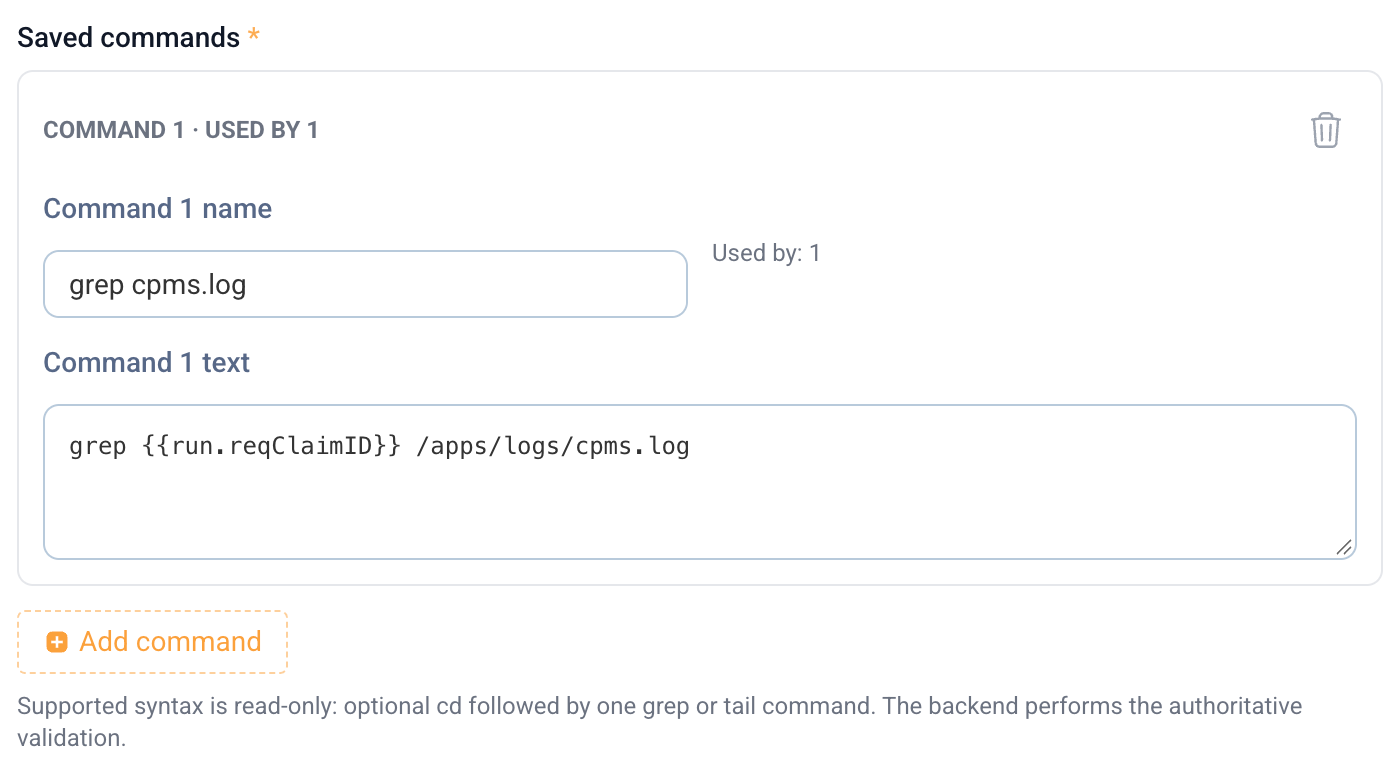
- Command 1 name — the name of the command. Next to it,
Used by:shows the number of datasets that use the command, such asUsed by: 1 - Command 1 text — the text of the command
To remove a command, select the Delete button at the top right of its card. To add a command, select Add command.
View Where the External Source Is Used
The USED BY section lists what uses the external source. Each row shows the following information:

- The name of the dataset, and below it the name of the saved command it uses
- The collection that contains the dataset, shown as the collection key and the collection name
- A tag at the right of the row, such as
RUNTIME
Delete an External Source
To delete the external source, select Delete external source at the bottom right of the form.

