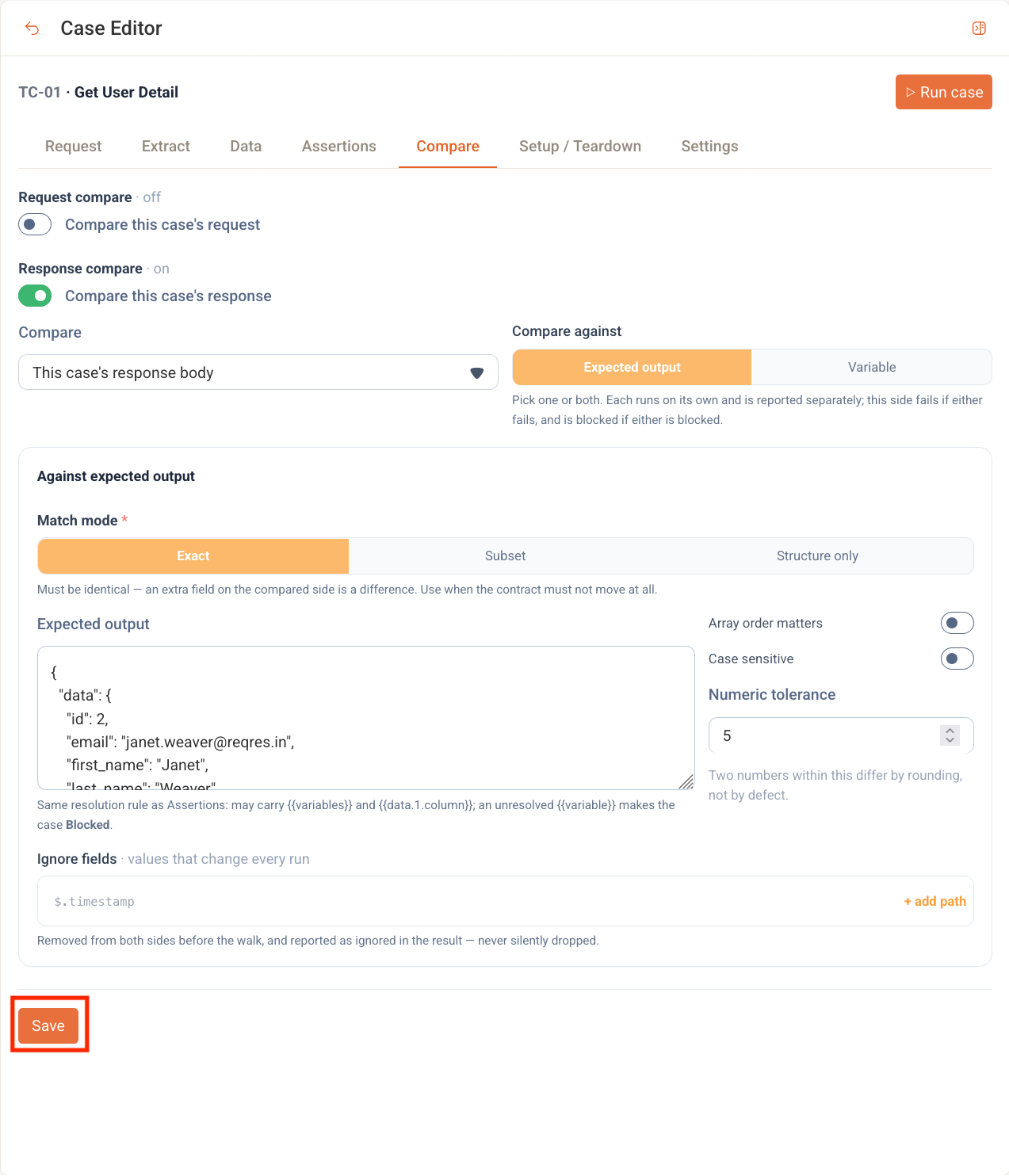
Compare
Compare checks the request or the response of the case against a reference.
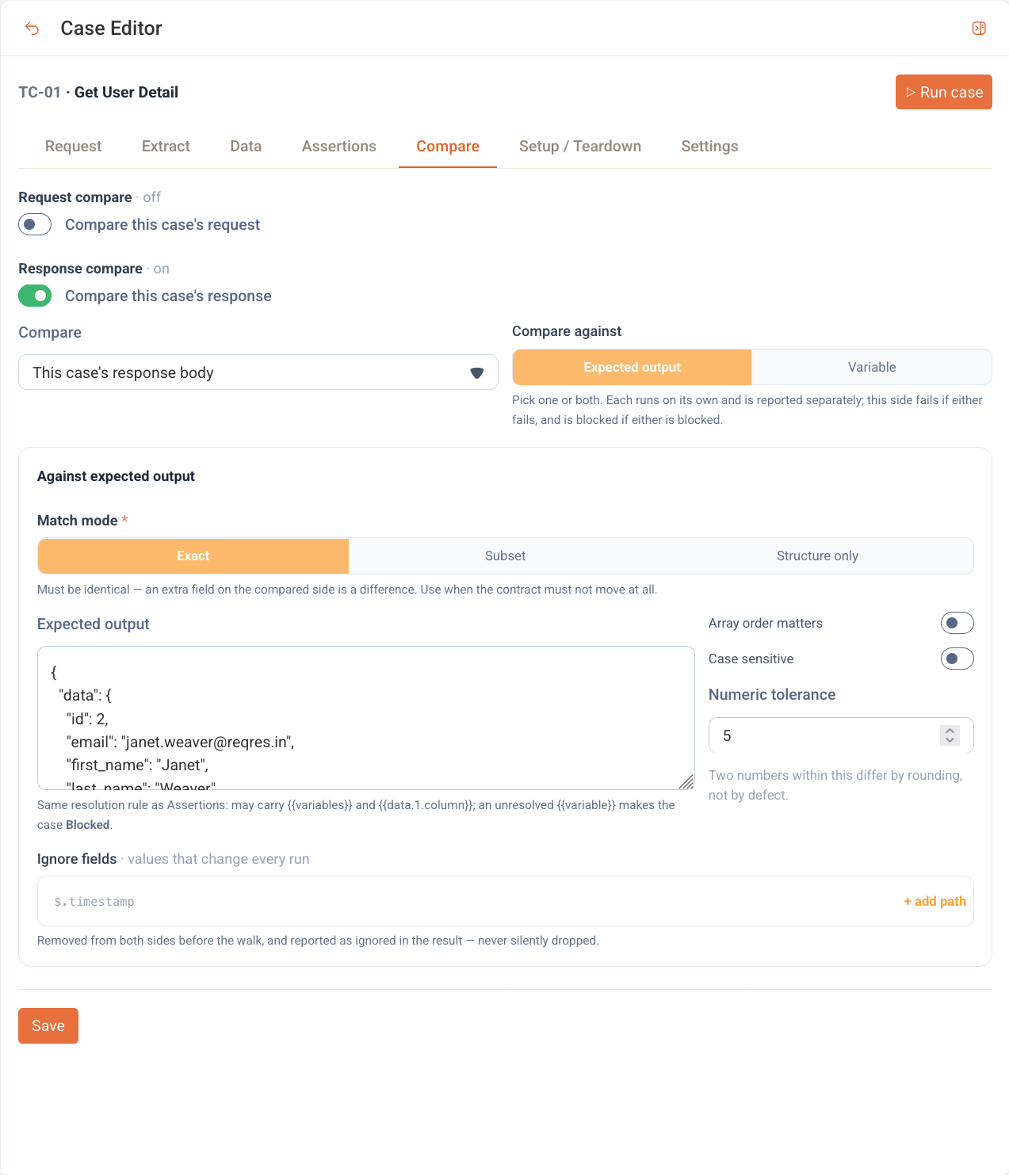
- Request Compare, compares the request of the case. It can be enabled or disabled by selecting its toggle.
- Response Compare, compares the response of the case. It can be enabled or disabled by selecting its toggle.
For each group, Compare selects the part to be compared: This case's response body or This case's response body + headers.

Compare Against selects the reference: Expected Output, Variable, or both. Each reference runs independently and is reported separately.
The compare group fails if either reference fails, and is blocked if either is blocked.

Comparing against an expected output requires the following fields:
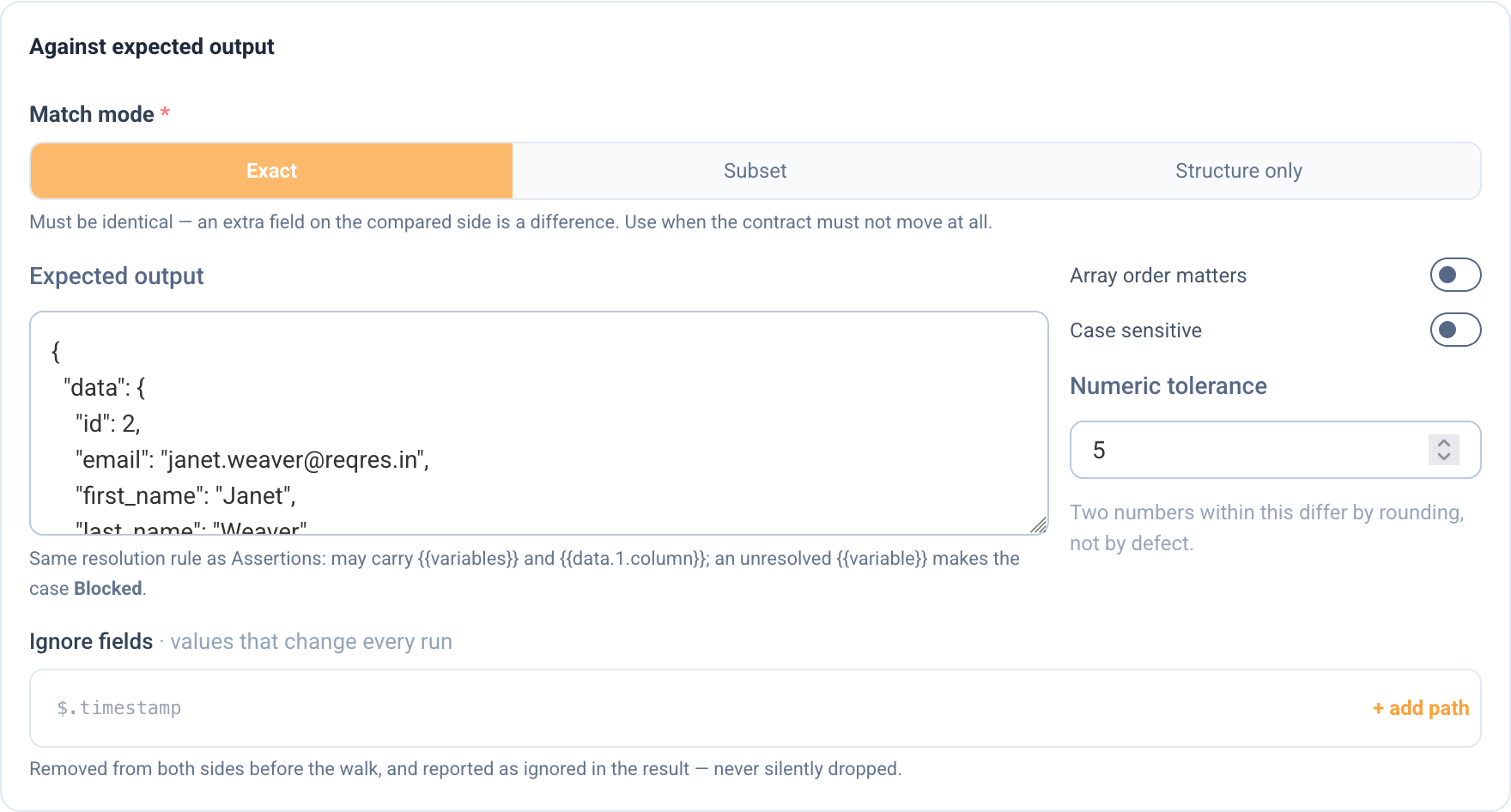
- Match Mode, how the output should be matched.
Exactrequires the two sides to be identical, and an extra field on the compared side is a difference.Subsetrequires everything in the expected output must match, and extra fields on the compared side are allowed.Structure onlyrequires only the structure to match. - Expected Output, the reference document, in JSON. It may contain
{{variables}}and{{data.1.column}}, resolved by the same rule as in Assertions. An unresolved variable makes the caseBlocked. - Array Order Matters, when enabled, arrays must match in order.
- Case Sensitive, when enabled, string comparison distinguishes upper and lower case.
- Numeric Tolerance, the permitted difference between two numbers. It is intended for differences caused by rounding.
- Ignore Fields, paths such as
$.timestampthat are removed from both sides before comparison. Select + Add Path to add one.
Comparing against a variable requires the following fields:
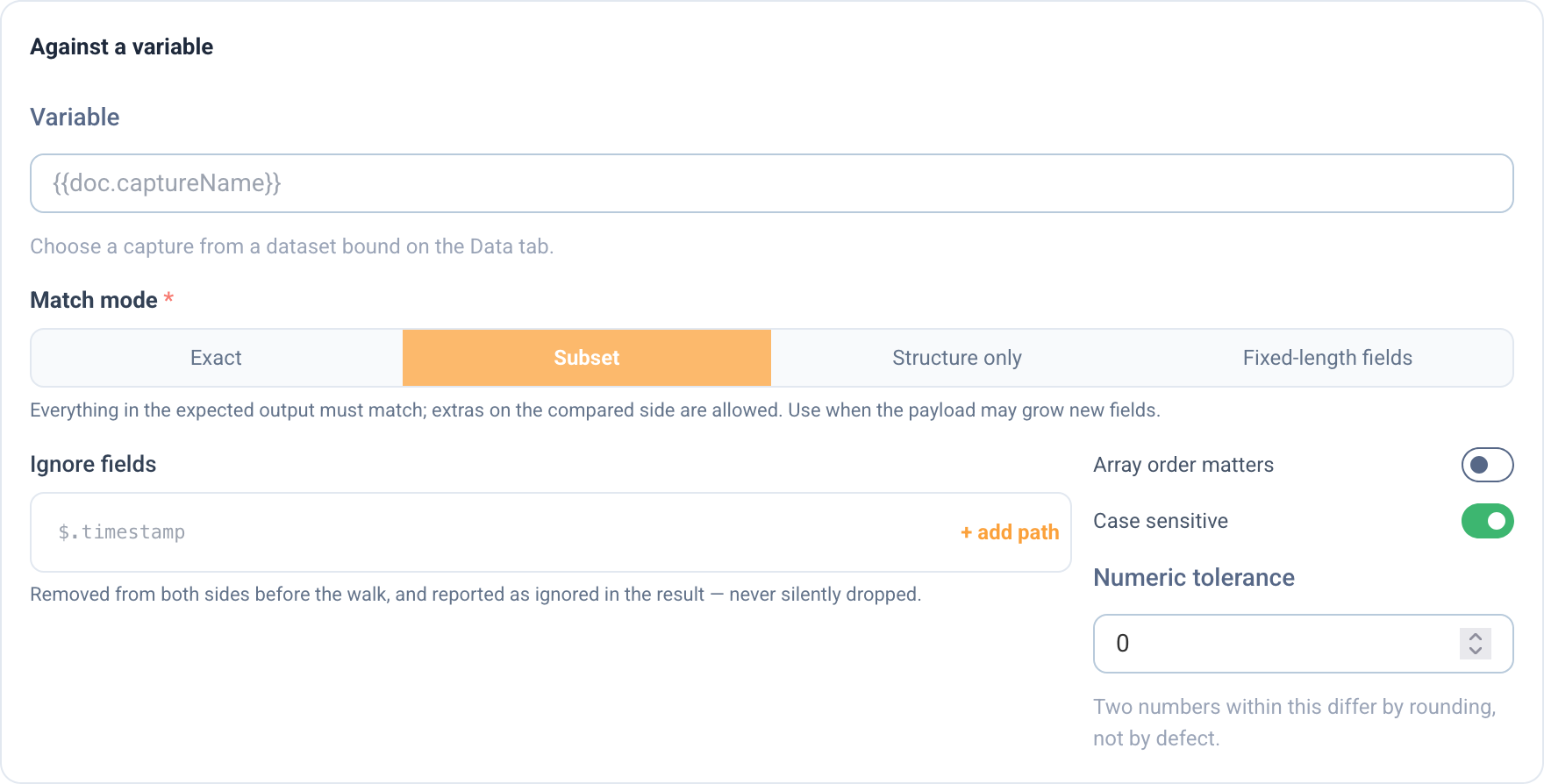
- Variable, a capture from a dataset bound on Data.
- Match Mode, as described for expected output.
- Array Order Matters, as described for expected output.
- Case Sensitive, as described for expected output.
- Numeric Tolerance, as described for expected output.
- Ignore Fields, as described for expected output.
Changes take place only after clicking on Save.