HTTP Request
The HTTP Request step sends an HTTP request and can extract values from the response into variables. It is available in both setup and teardown.
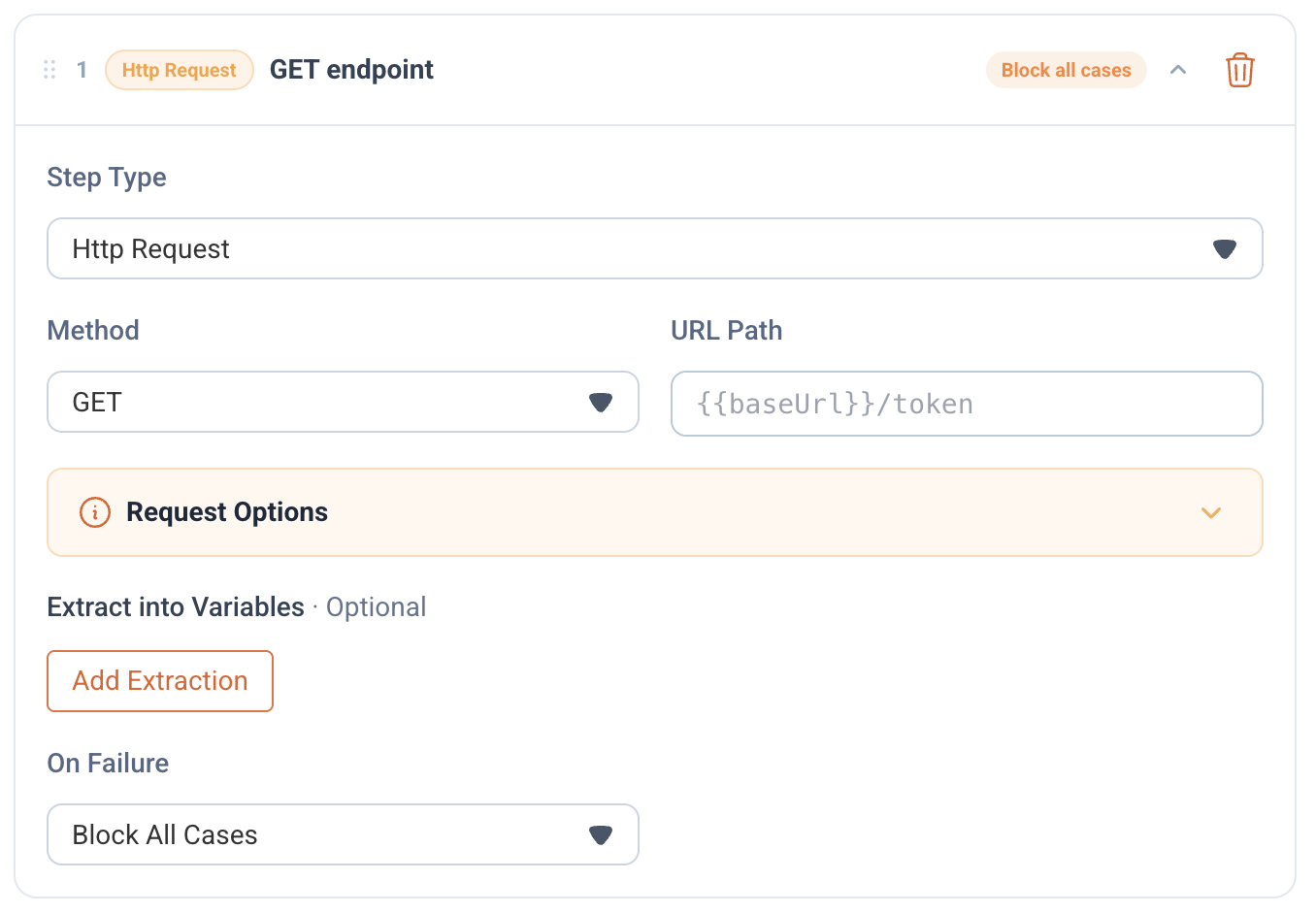
Fields
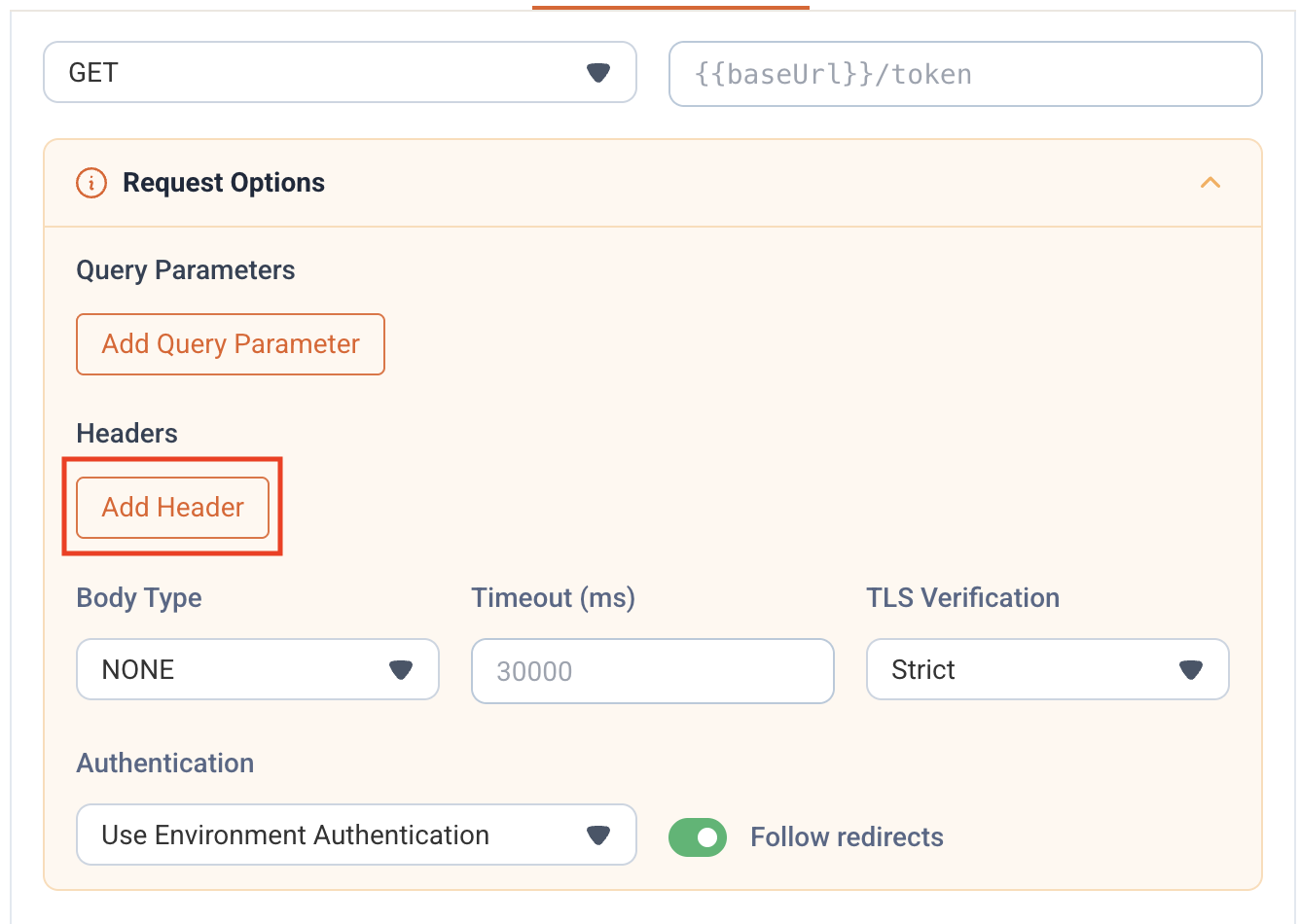
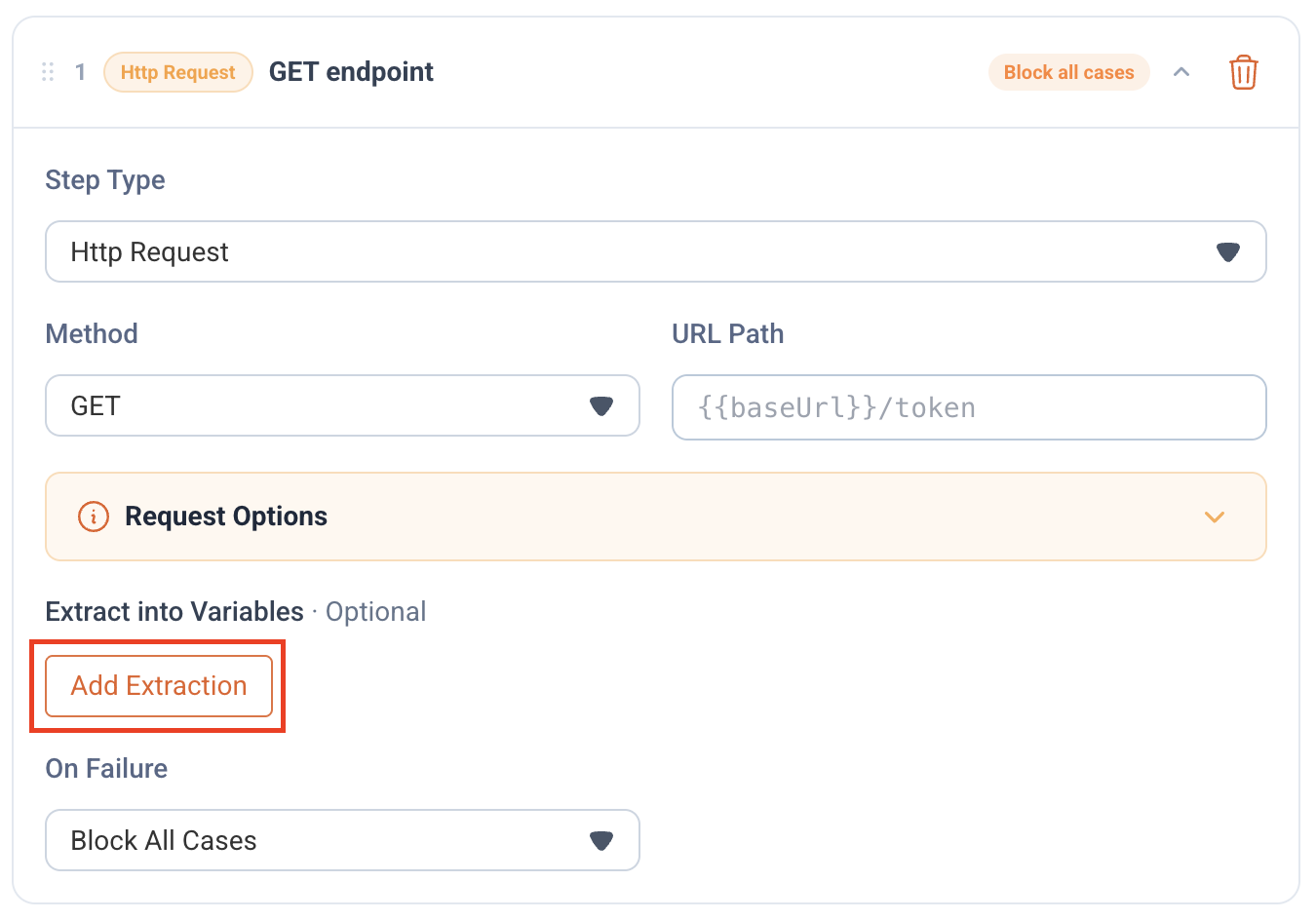
- Step Type — set to
Http Request - Method — the HTTP method of the request, such as
GET - URL Path — the path of the request. You can use variables, for example
{{baseUrl}}/token - Request Options — an expandable section with additional request settings. See Request Options
- Extract into Variables (optional) — extract values from the response into run variables. See Extract into Variables
- On Failure — what happens when the step fails, such as
Block All Cases. This field is available in setup steps only
Request Options
Select the Request Options section to expand it.
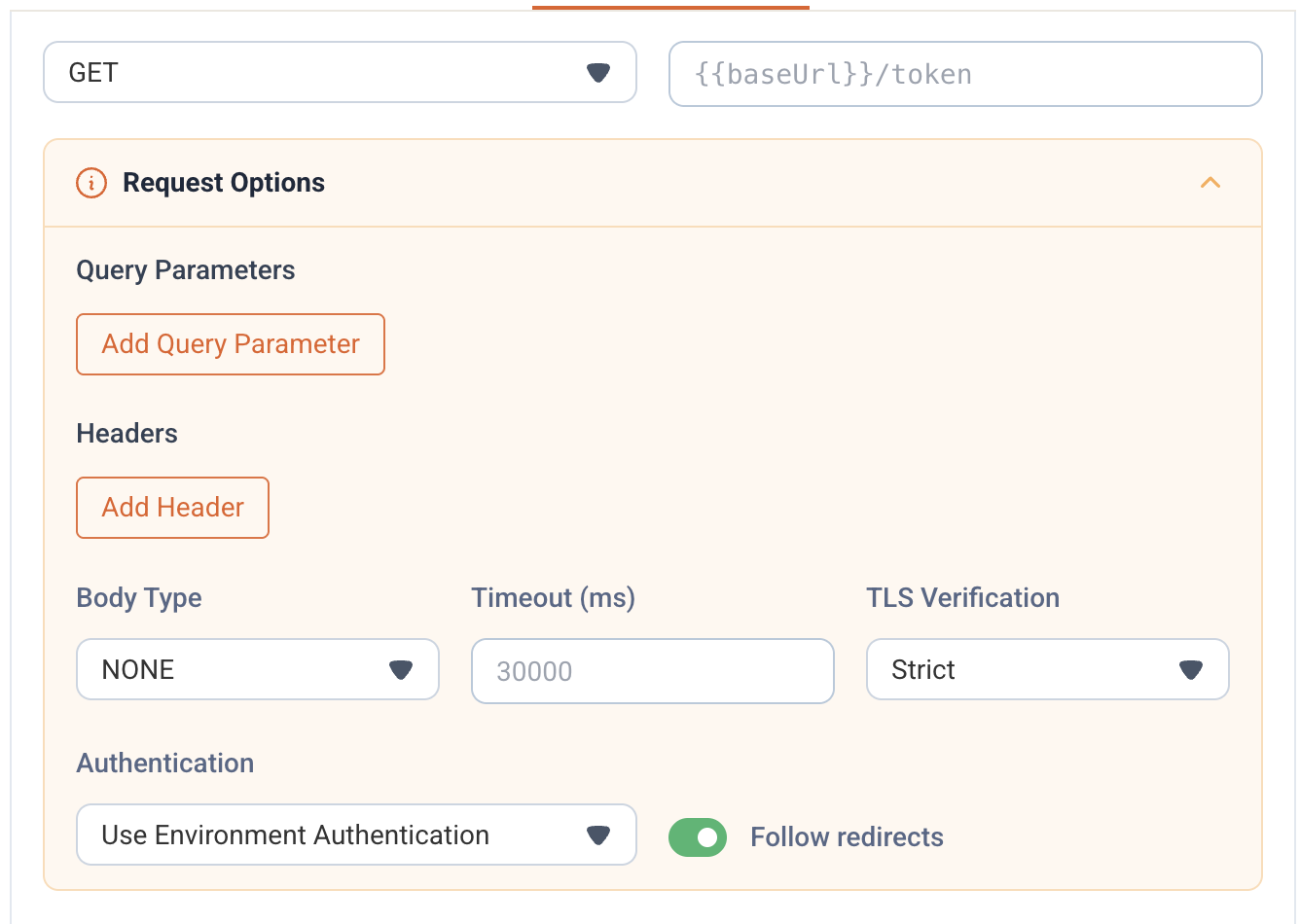
The section contains the following settings:
- Query Parameters — add query parameters to the request
- Headers — add headers to the request
- Body Type — the type of the request body
- Timeout (ms) — the request timeout in milliseconds. The field shows
30000as a placeholder - TLS Verification — the TLS verification mode, such as
Strict - Authentication — the authentication used by the request, such as
Use Environment Authentication - Follow redirects — a toggle to follow redirects
Add a Query Parameter
-
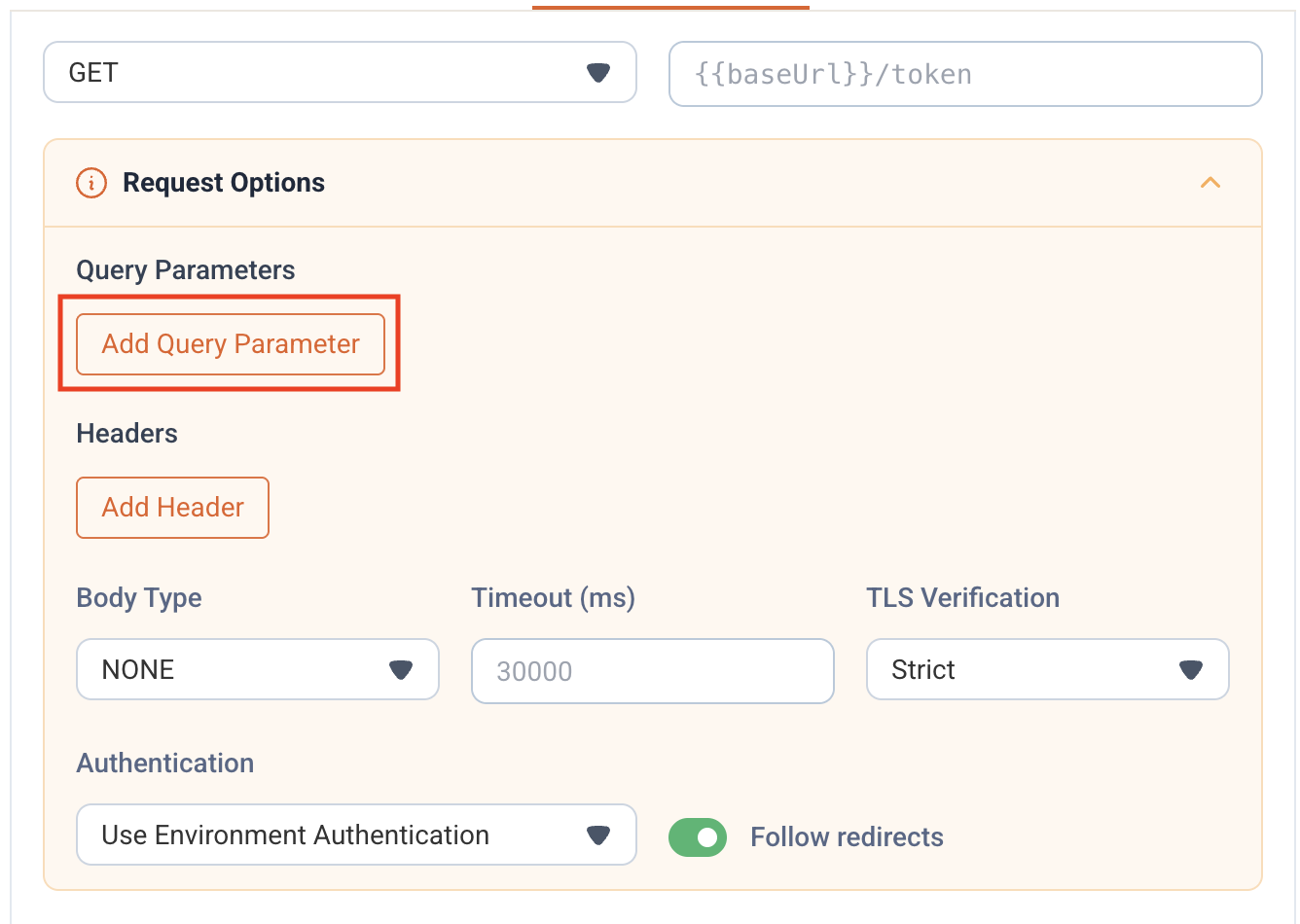
Under Query Parameters, select Add Query Parameter.
-
Fill in the Key and Value of the parameter.
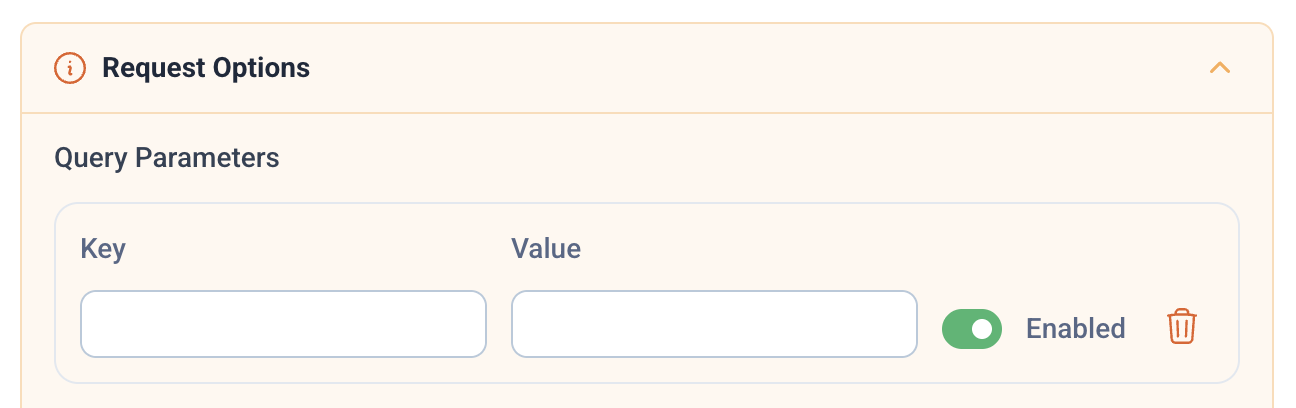
Each query parameter has the following controls:
- Key — the name of the parameter
- Value — the value of the parameter
- Enabled toggle — turn the parameter on or off
- Delete button — remove the parameter
Add a Header
- Under Headers, select Add Header.
- Fill in the Key and Value of the header.
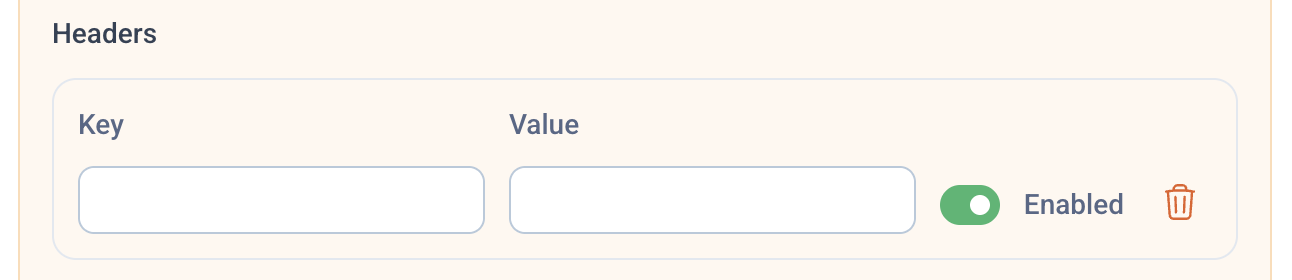
Each header has the following controls:
- Key — the name of the header
- Value — the value of the header
- Enabled toggle — turn the header on or off
- Delete button — remove the header
Extract into Variables
Use Extract into Variables to take values from the response and store them in run variables. This section is optional.
- Select Add Extraction.
- Fill in the extraction fields.
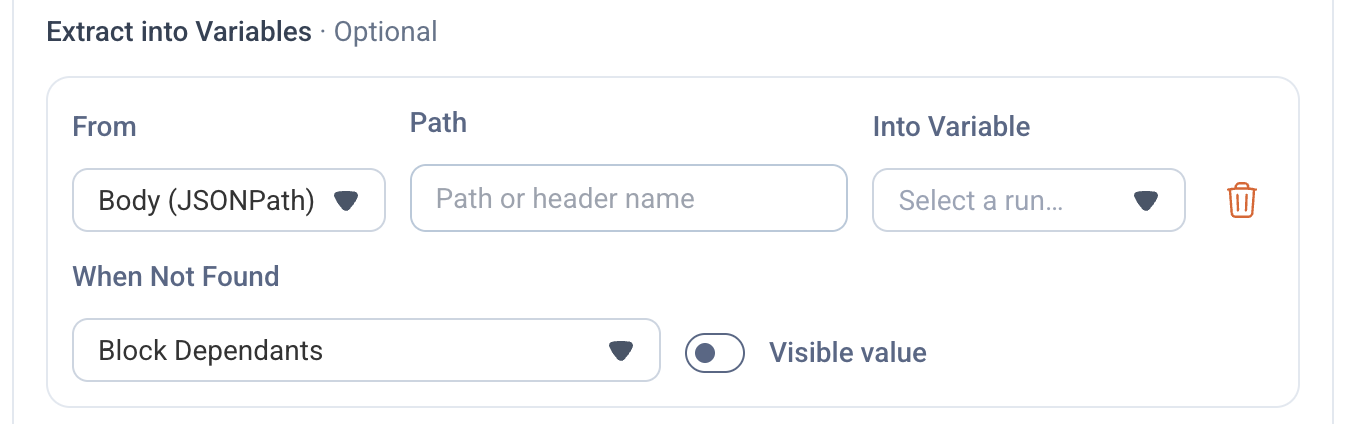
Each extraction has the following fields:
- From — where the value is taken from, such as
Body (JSONPath) - Path — the path of the value, or the header name
- Into Variable — the run variable that receives the value
- When Not Found — what happens when the value is not found, such as
Block Dependants - Visible value — a toggle that controls whether the value is visible
To remove an extraction, select its delete button.
