Secrets
info
Before you start.
- Permission: Build Secret (Permissions).
- A new server has no secrets. You only need one when your API requires a credential such as a password, token or key.
- After you save a secret, its value cannot be viewed again. Keep the original somewhere safe.
- Next: use the secret in an environment or an external source, as
{{secret.name}}.
Secrets
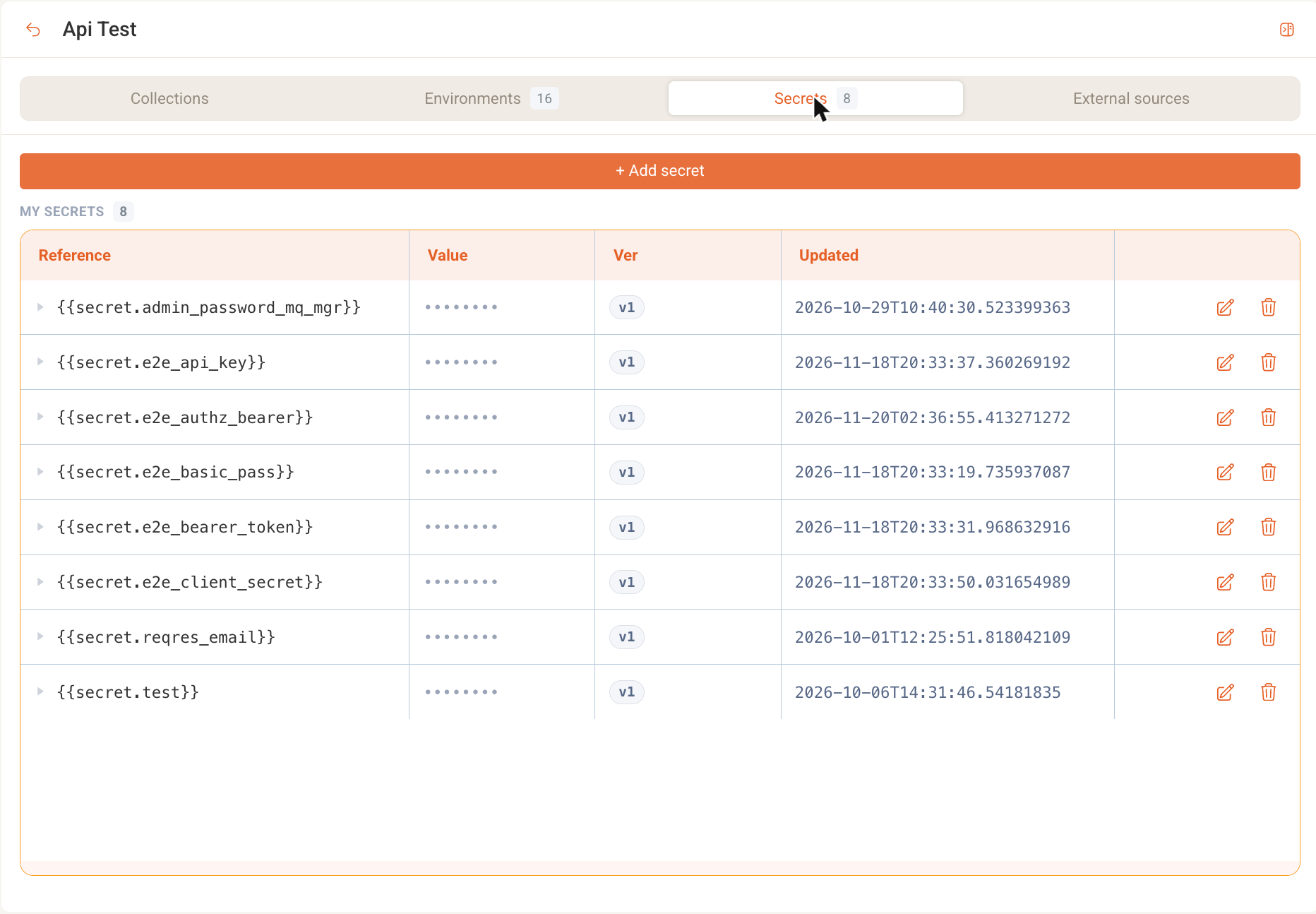
"MY SECRETS" list: Reference column ({{secret.name}}) and Value column (masked •••••). The real value is never shown.
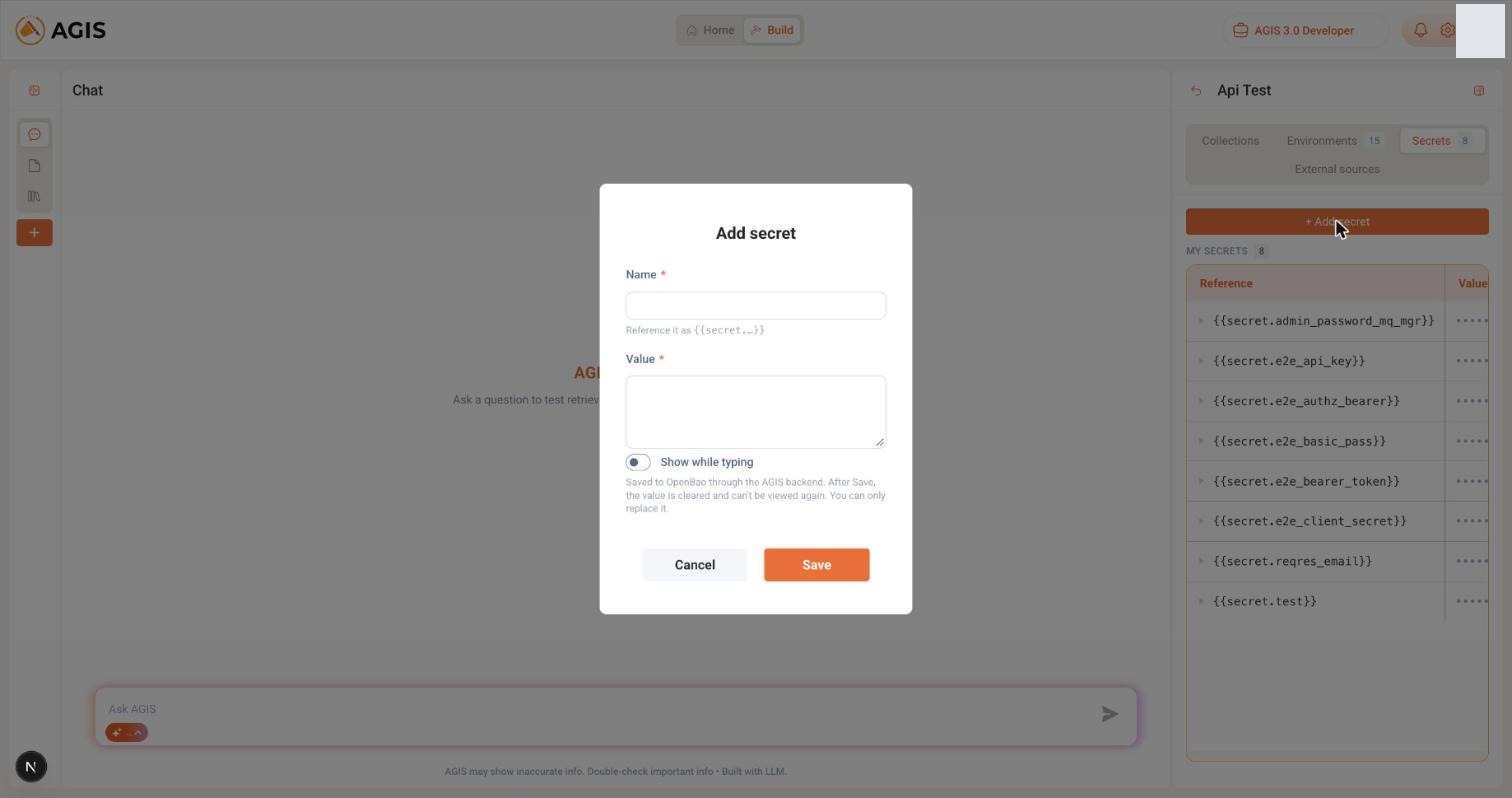
Add secret dialog: Name, Value, "Show while typing" toggle, Cancel / Save.
Purpose: credentials are not written in cases or environments, only referenced. They are stored in a secure vault through the AGIS backend, per user.
caution
Secrets belong to the person who created them. A run resolves {{secret.name}} from the vault of whoever starts the run. If a teammate runs your collection, they need a secret with the same name in their own vault, otherwise the run ends with SECRET_MISSING. Agree on secret names with your team.
| Element | Source / options | Function & result |
|---|---|---|
| "MY SECRETS" table | Your secure vault | Reference column ({{secret.name}}, can be copied into other fields) and Value column (always •••••). The ▸ arrow on each row opens actions (Replace / Delete) according to permission. |
| Add secret dialog → Name | You enter | Letters, digits, underscore; must start with a letter; max 64. Becomes the reference {{secret.Name}} (preview shown under the field). An existing name is rejected: use Replace. |
| Value / New value | You enter | Required, max 8 KB. The Show while typing option reveals what you type. After Save the value is cleared from the screen and cannot be viewed again, only replaced. |
| Replace action ("Replace secret value" mode) | From the secret row | Changes the value without changing the name; all references stay valid. |
| Delete icon (Delete secret) | Confirmation | Deletes the secret with all its versions. Runs that reference it are rejected with SECRET_MISSING until it is added again. Environments that reference it keep the reference text, but runs fail. |
| Message "OpenBao is not reachable" | Error SECRET_STORE_UNAVAILABLE | The vault cannot be reached; try again later. |
