External sources
info
Before you start.
- Permissions: Build External Source, and Test Connection to check it (Permissions).
- Create the environments first. A source has one server entry per environment.
- Create a secret for each password or private key.
- The server (SSH/SFTP host or database) must be reachable from the AGIS server. Ask your administrator to open the network access if needed.
- A source is used to fetch files or logs for datasets and to run SQL in setup and teardown.
External sources
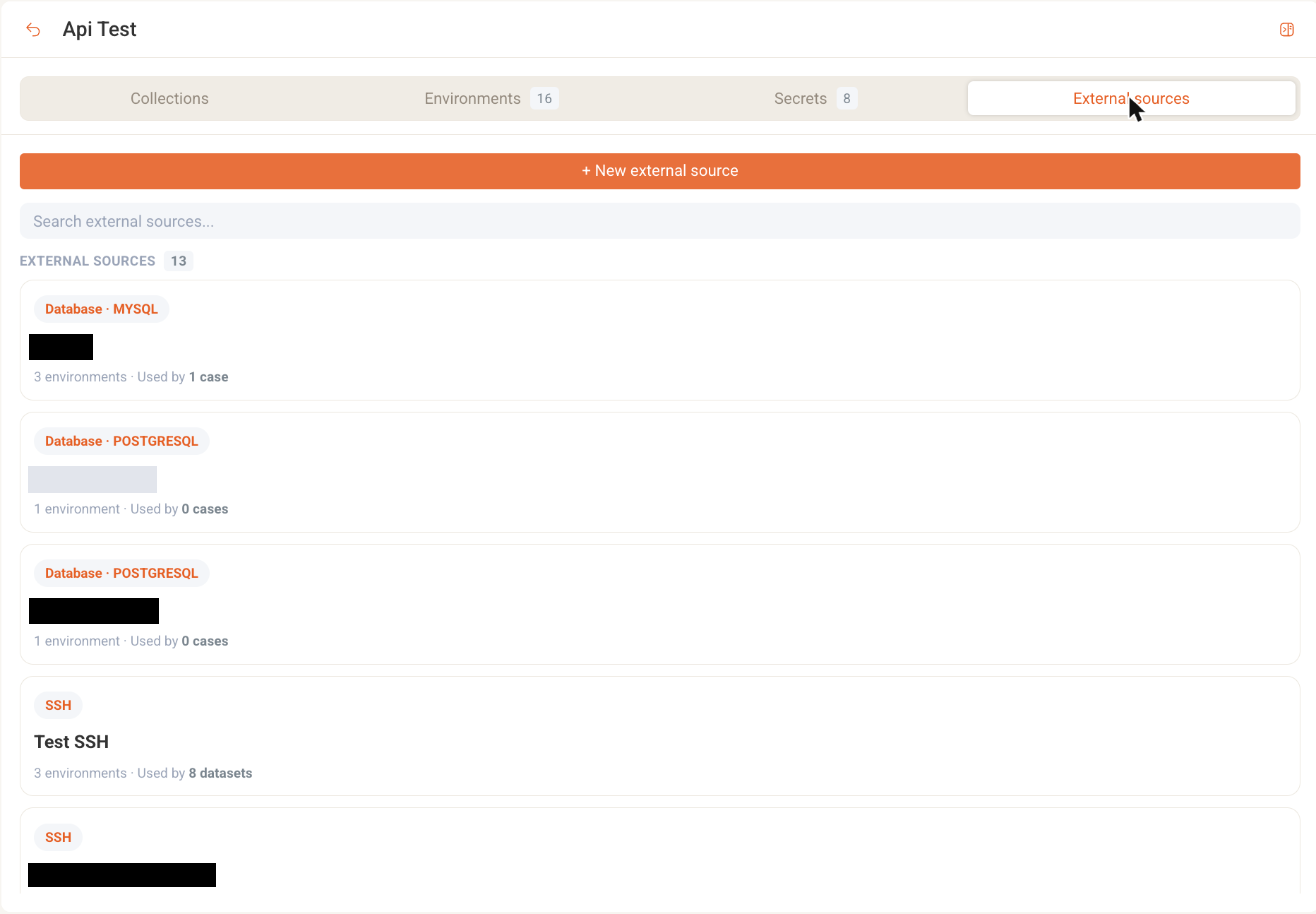
External sources list: type (Database · MYSQL/POSTGRESQL, SSH), number of environments and "Used by …". + New external source button and search field.
Purpose: fetch documents/logs from a server (for Document datasets and Compare) or run SQL (for RUN_SQL steps) without putting credentials in cases.
| Element | Source / options | Function & result |
|---|---|---|
| Name | You enter | Source name. |
| Connector | Fixed choice: SSH, SFTP, Database | Determines the form. SSH/SFTP run commands/read files; Database runs SQL. |
| Database type | Choice: PostgreSQL (default), MySQL, SQL Server | Database only. |
| Base path (SSH/SFTP) | You enter | Absolute folder where the logs are, e.g. /apps/logs. |
| Add environment → one row per environment | Pick from the environment list (empty state: "No environment configured.") | One source has a different server per environment (dev/SIT). Each row: host, user, SSH host key, private key, password; for Database: host, port (blank = default for the DB type), database, user, password, SSL mode. |
| SSH host key | You enter (optional) | A known_hosts line. Pin it when using a password so the server cannot be impersonated. |
| Private key / password | You enter; {{secret.x}} or {{env.x}} allowed | One of them is required per server. |
| Test connection | — | Tests the connection (save first). Result: success or failure details; needs the test-connection permission. |
| Commands (SSH/SFTP): Command n name / text | You enter | Saved commands that a dataset later picks as Saved command. Unique names; at least one. A UI hint checks the command shape (e.g. tail). A command used by a dataset cannot be deleted (SOURCE_COMMAND_IN_USE). |
| Saved SQL (Database): SQL n name / text | You enter | Saved SQL statements. Parameters are written :name; the UI lists them. Used in RUN_SQL steps. |
| Run statement panel | Pick environment + fill :name parameters | Tries the SQL live to see the result before using it in a case. |
| Timeout / Query timeout (seconds) | You enter (default 15) | Time limit for the command/query. |
| Maximum output (MB) / Maximum value read (MB) | You enter (default 5) | Size limit of what is read. |
| Used by | Automatic | Datasets (SSH) or test cases (DB) using this source; "No … uses this external source yet". |
| Save / Close / Delete external source | — | Save / close / delete. Delete is rejected while the source is still used. |
The external source form
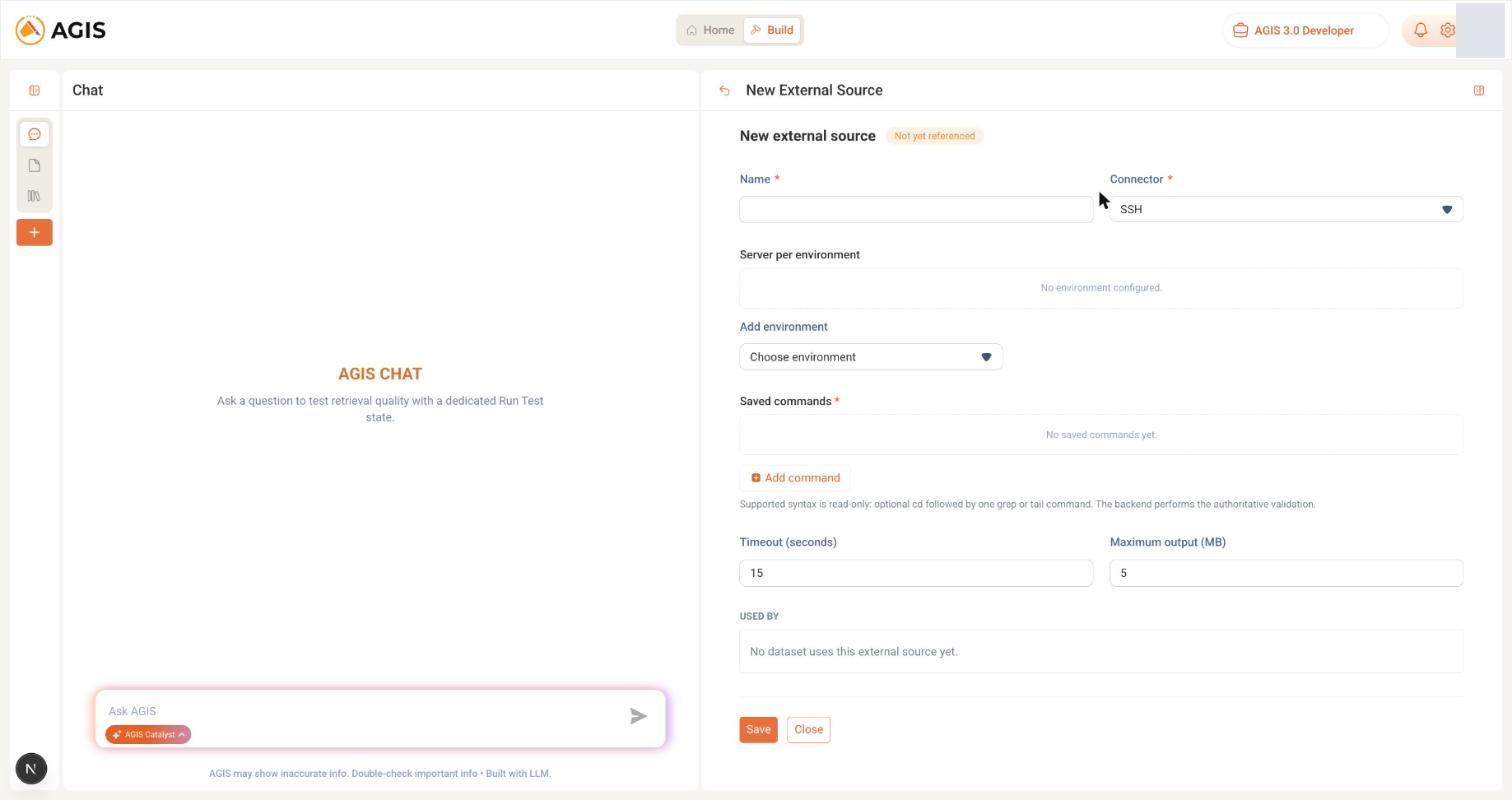
New external source, SSH: Name, Connector, Server per environment, Add environment, Saved commands, Timeout and Maximum output, USED BY, Save / Close.
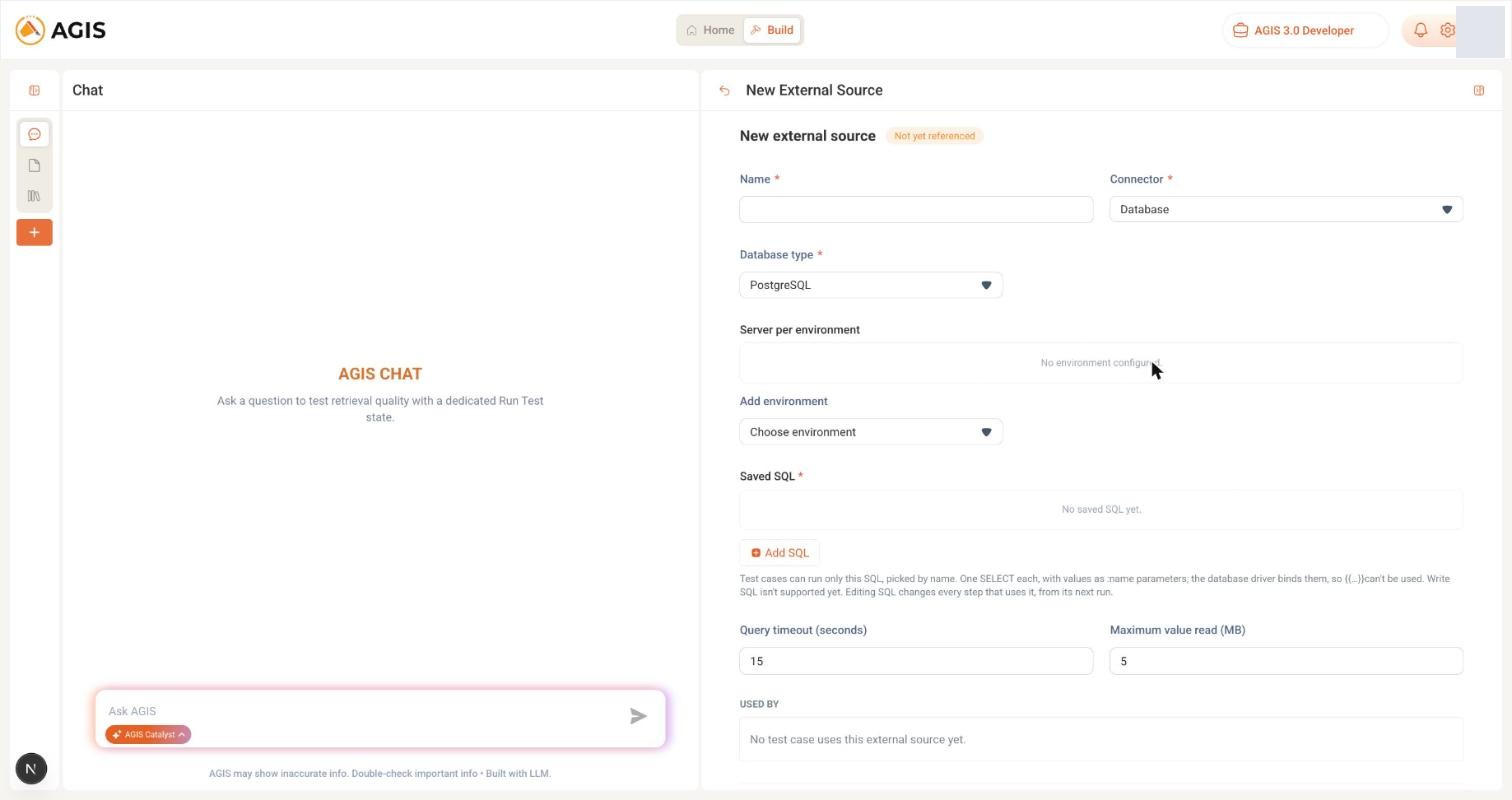
Connector = Database: Database type, Saved SQL (with its rules), Query timeout and Maximum value read.
| Part | Details |
|---|---|
| Header badge | "Not yet referenced" for a new source; "Used by n datasets/cases" once used. |
| Saved commands (SSH/SFTP) (required) | "No saved commands yet." with Add command. "Supported syntax is read-only: optional cd followed by one grep or tail command." |
| Saved SQL (Database) (required) | "No saved SQL yet." with Add SQL. "Test cases can run only this SQL, picked by name. One SELECT each, with values as :name parameters; the database driver binds them, so {{…}} can't be used. Write SQL isn't supported yet. Editing SQL changes every step that uses it, from its next run." |
