Environments
Before you start.
- Permission: Build Environment (Permissions).
- Create the environment before your first collection. A collection needs a default REST / SOAP environment.
- If the API needs credentials, create the secret first.
- Use a Base URL that the AGIS server can reach. An address that only works in your own browser (for example
localhost) will not work. - For an MQ environment, ask the team that runs the queue manager for the host, port, queue manager, channel and queue names.
- Next: create a collection.
Environments
Purpose: separate what is tested (cases) from where it is tested (for example test, staging or a mock server). The environment name shows up in every environment picker.
Common settings
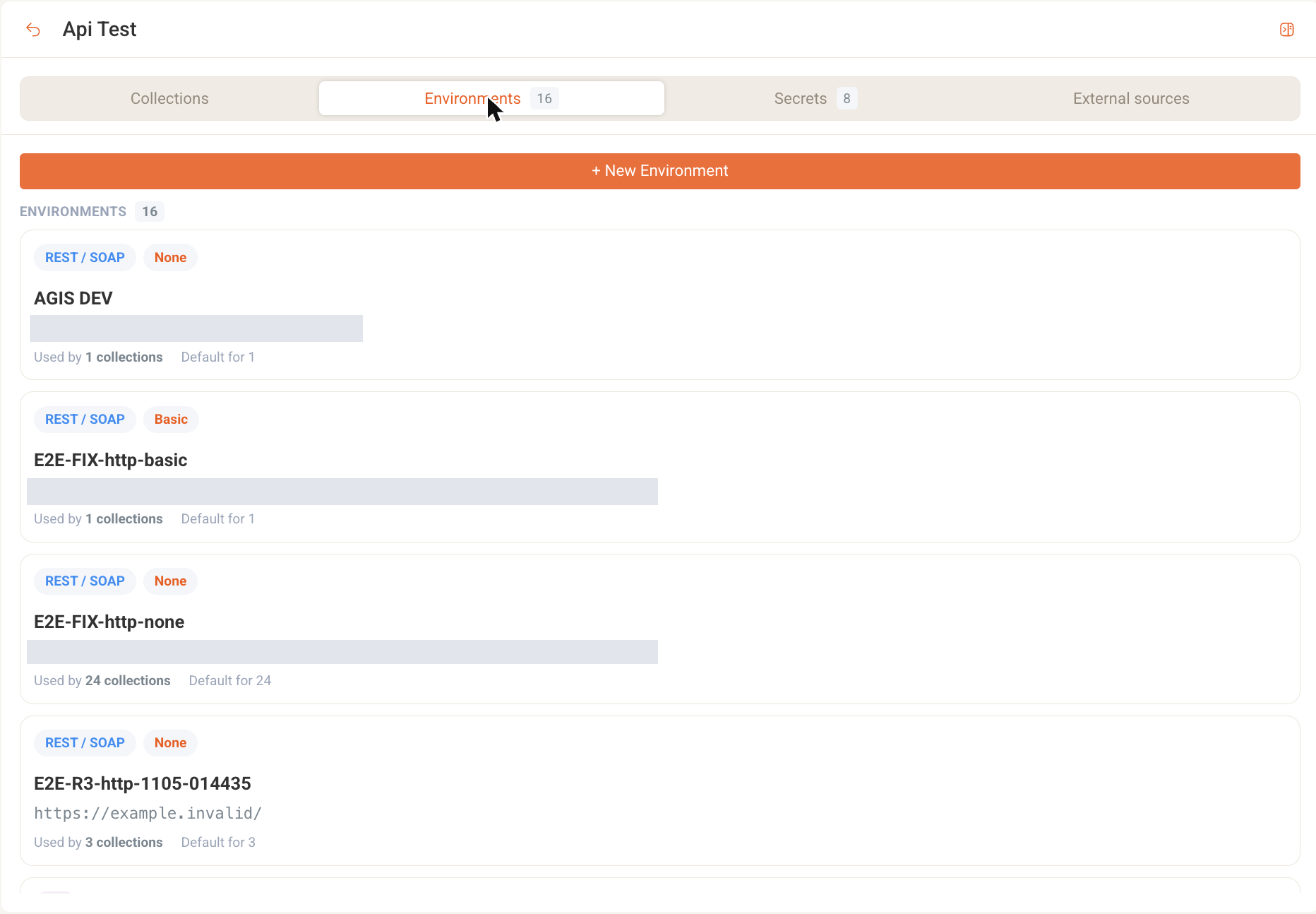
Environments list: protocol badge (REST / SOAP or MQ), auth badge (Basic/None/…), name, URL or host:port, "Used by n collections · Default for n".
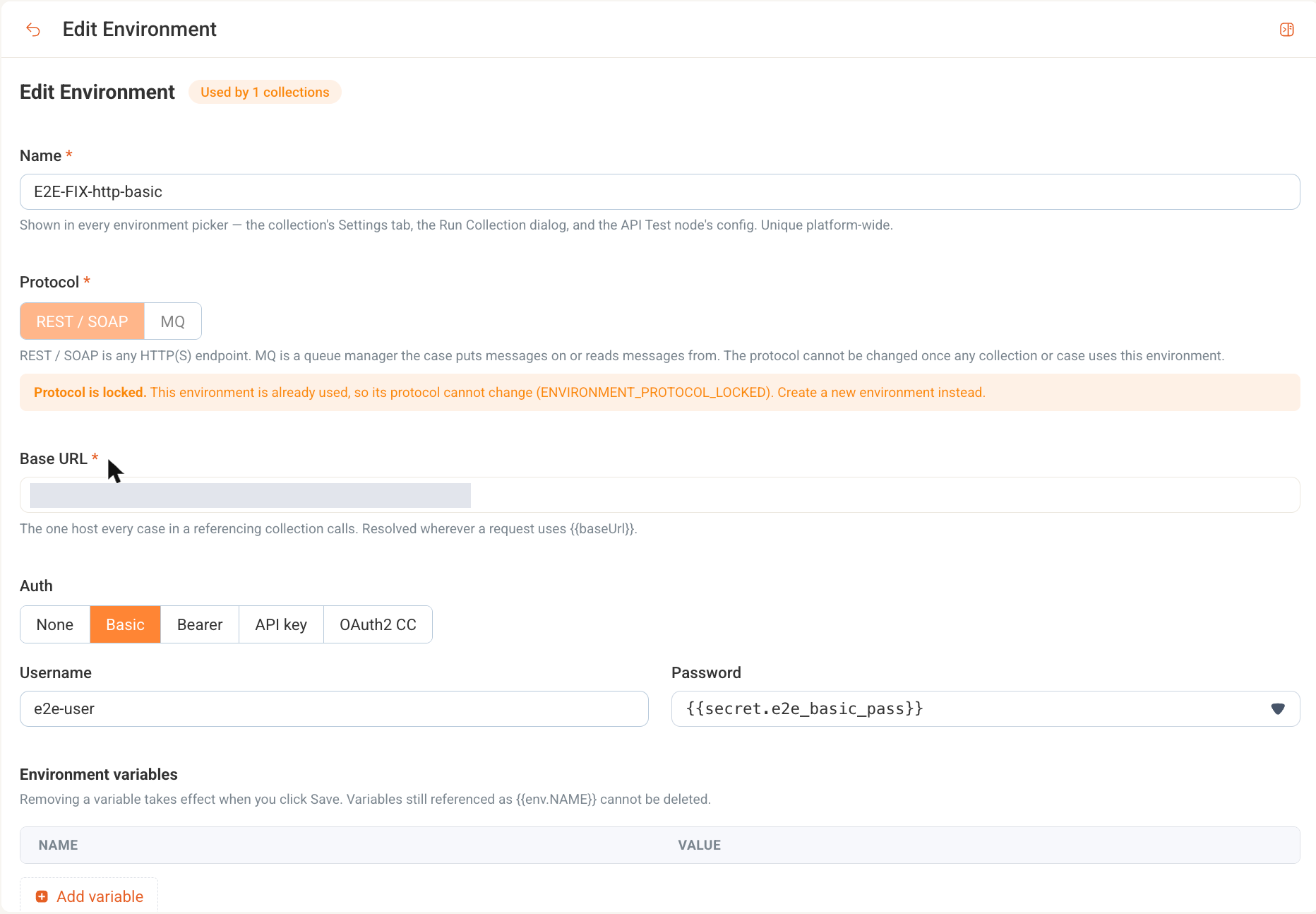
Edit Environment form (top): Name, Protocol (toggle, locked once used), Base URL, Auth (None / Basic / Bearer / API key / OAuth2 CC).
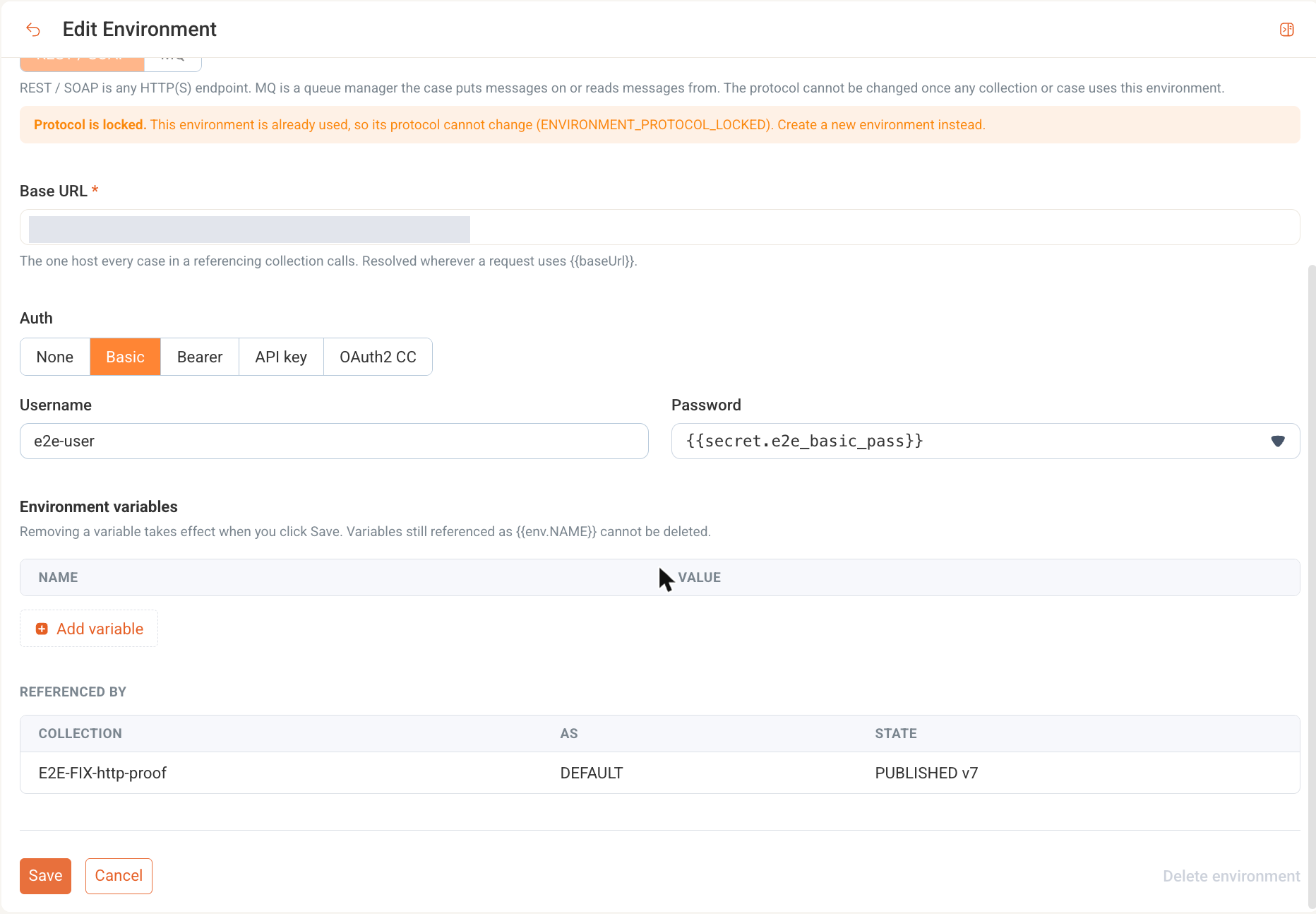
Form (bottom): Environment variables + Add variable, REFERENCED BY table (Collection / As / State), Save, Cancel, Delete environment buttons.
| Element | Source / options | Function & result |
|---|---|---|
| Name | You enter (required, unique) | Display name. It must be unique across the whole platform, so a team prefix helps. Duplicate → ENVIRONMENT_NAME_TAKEN. |
| Protocol | Choice: REST / SOAP or MQ | Determines the form. Locked once a collection/case uses it (ENVIRONMENT_PROTOCOL_LOCKED); create a new environment to change it. |
| Environment variables | You enter (Name + Value) | Values for {{env.NAME}}. The plus button adds a row; the trash icon removes one (applies on Save). A variable still referenced cannot be deleted (ENVIRONMENT_VALUE_IN_USE). |
| REFERENCED BY | Automatic | Table with columns Collection, As (e.g. DEFAULT), State (e.g. PUBLISHED v2) for collections using this environment. Empty: "No collection references this environment yet". Badge above the title: "Used by n collections" or "Not yet referenced". |
| Save / Cancel | — | Save or go back. Edit conflict → VERSION_CONFLICT (reload, then re-apply). |
| Delete environment | Confirmation | Greyed out (disabled) while the environment is in use; red (enabled) when unused. The server also rejects it while it is referenced (ENVIRONMENT_REFERENCED). |
REST / SOAP
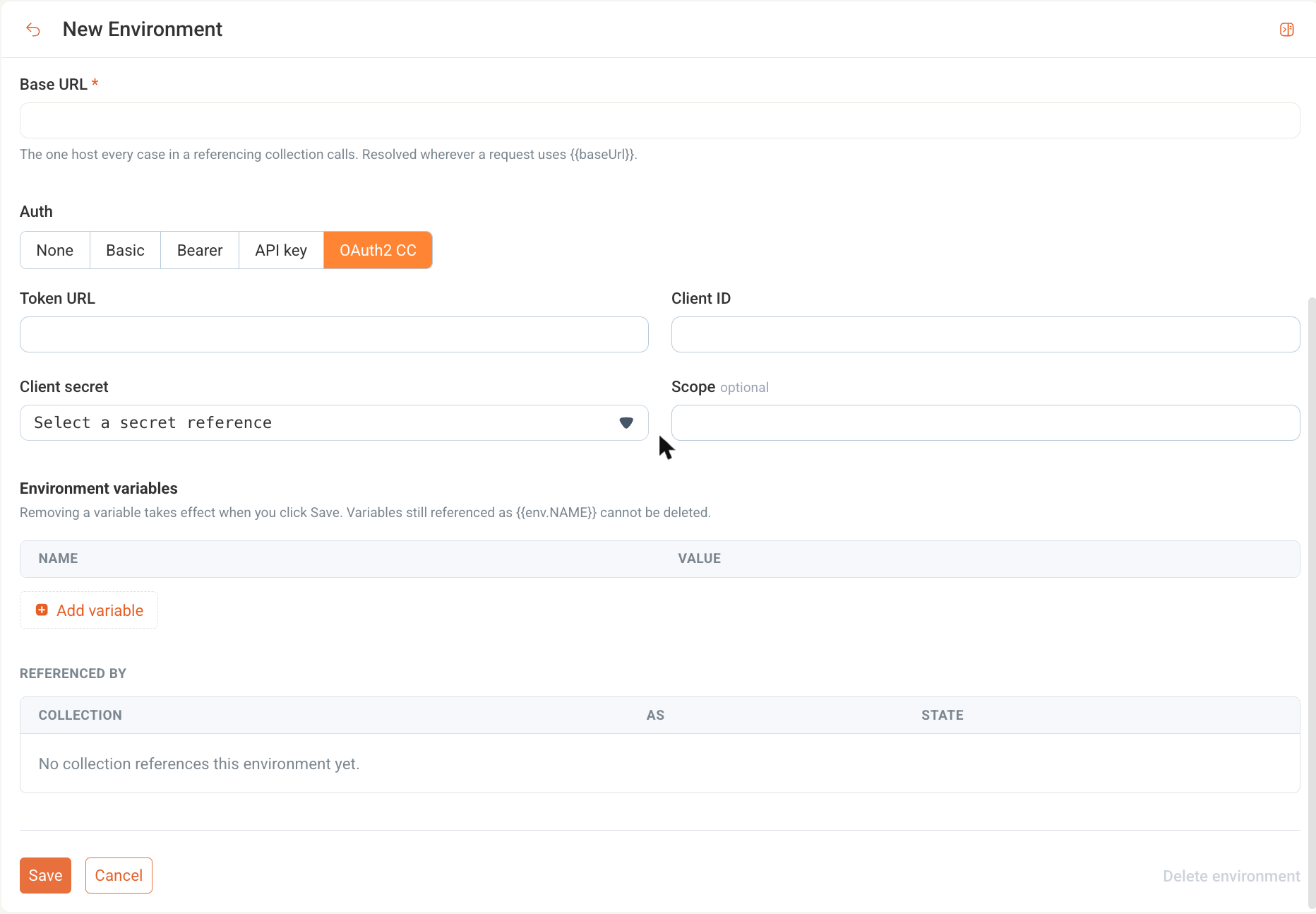
Auth = OAuth2 CC: Token URL, Client ID, Client secret (pick from vault), Scope (optional). New form, not saved.
| Element | Source / options | Function & result |
|---|---|---|
| Base URL | You enter (required) | The one host every case calls. Resolved wherever {{baseUrl}} is used. |
| Authentication | Choice: None, Basic, Bearer, API key, OAuth2 CC | Default authentication for every case using this environment (unless a case overrides it in its Request tab). |
| Basic → Username, Password | Username typed; Password picked from the vault | Authorization: Basic header. The password must be a {{secret.x}} reference ("Select a secret reference"). |
| Bearer → Token | Picked from the vault | Authorization: Bearer … header. |
| API key → Header name, Key | Header typed; Key from vault | Sends the key in the named header. |
| OAuth2 CC → Token URL, Client ID, Client secret, Scope | URL & ID typed; secret from vault; Scope optional | Fetches an access token with client credentials automatically at run time, then uses it as Bearer. |
| "(not in your vault)" | Automatic | Warning when the stored reference is not in your vault; the value is preserved. |
MQ
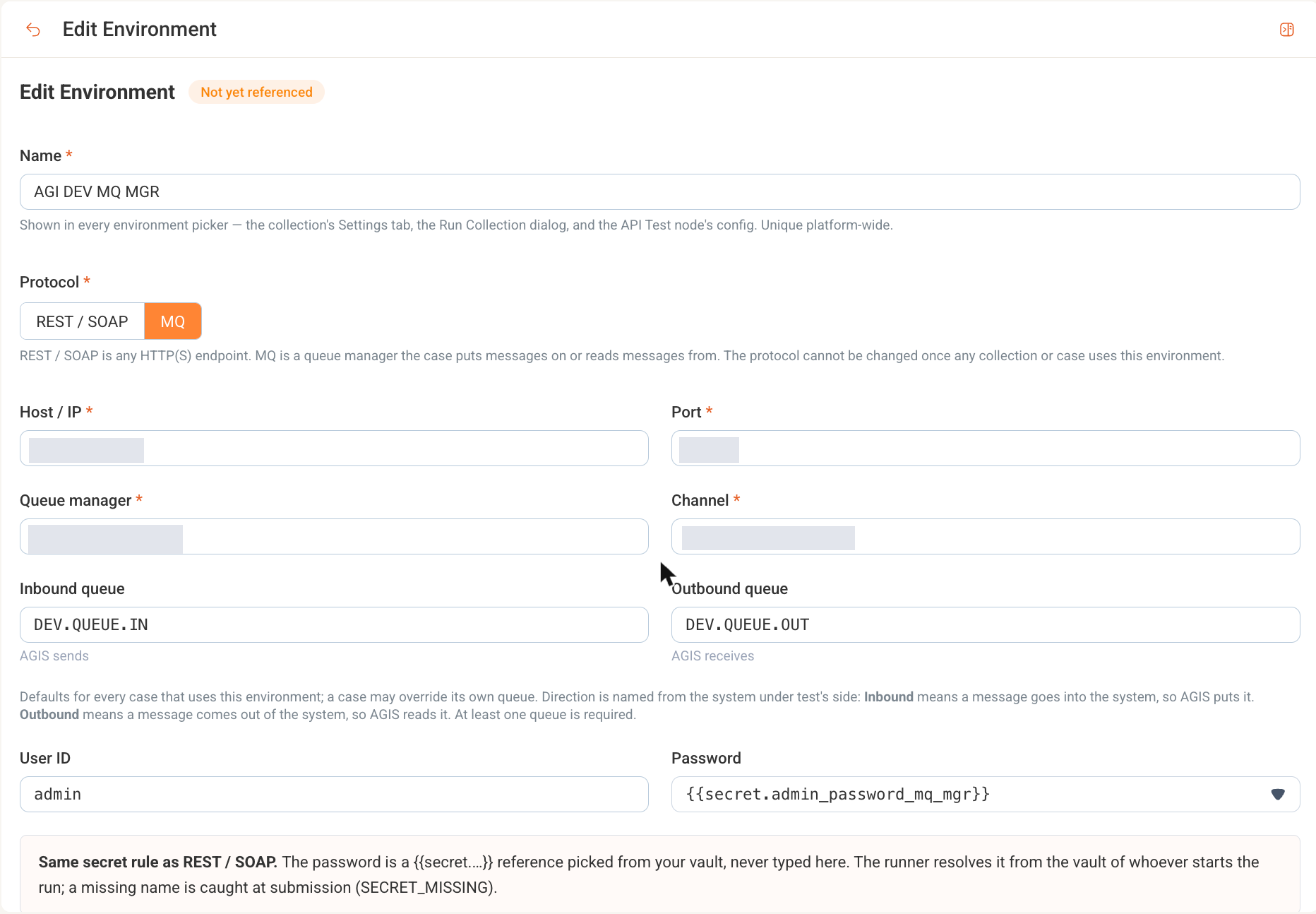
MQ environment: Host/IP, Port, Queue manager, Channel, Inbound queue ("AGIS sends"), Outbound queue ("AGIS receives"), User ID, Password.
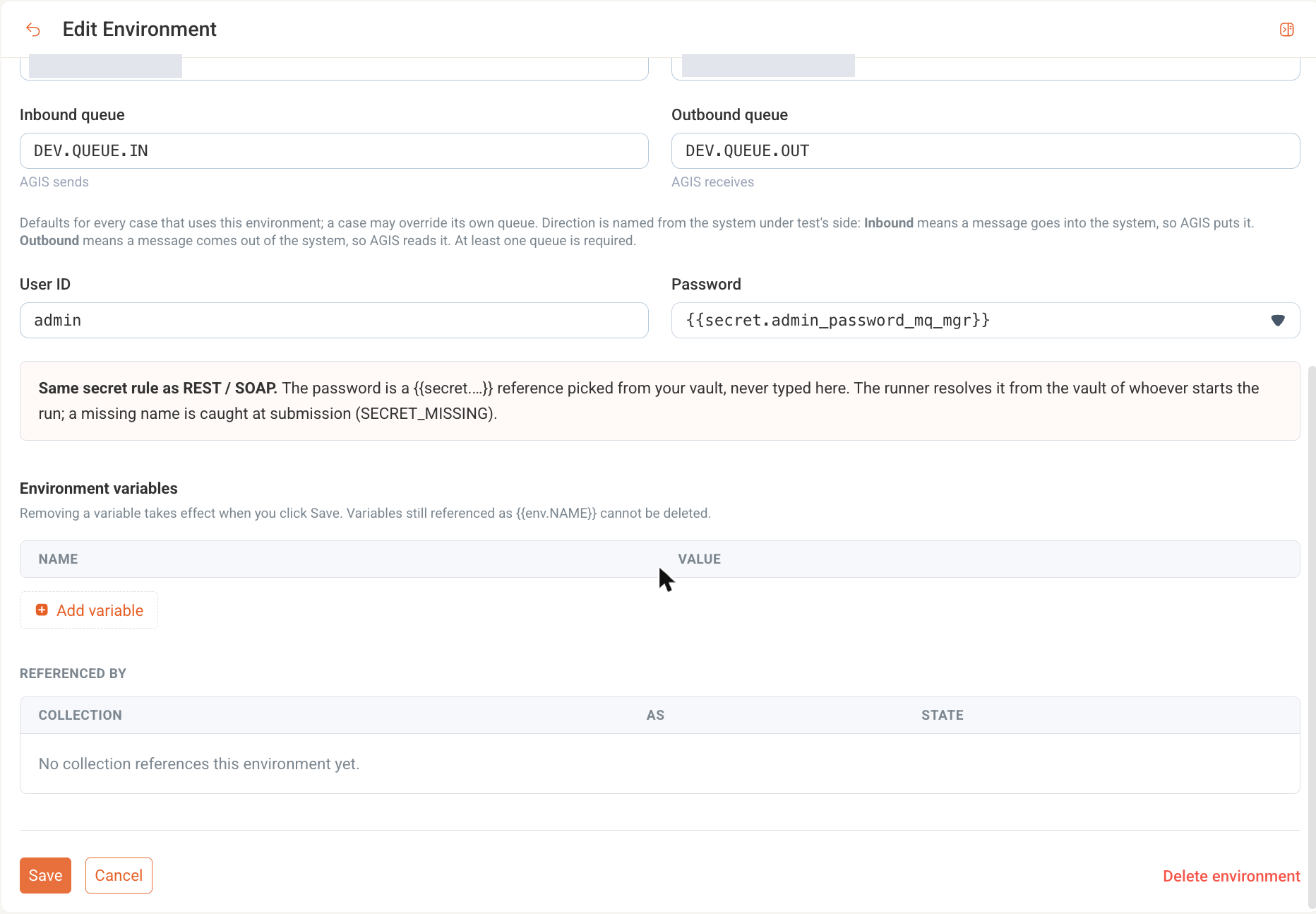
MQ secret-rule note, Environment variables, REFERENCED BY ("No collection references this environment yet").
| Element | Source / options | Function & result |
|---|---|---|
| Host / IP, Port, Queue manager, Channel | You enter (required) | Connection to IBM MQ. |
| Inbound queue | You enter (hint: "AGIS sends") | Queue where AGIS puts messages into the system. Default for all cases in this environment; a case may override it. |
| Outbound queue | You enter (hint: "AGIS receives") | Queue where AGIS reads outgoing messages. At least one queue is required. |
| User ID, Password | User typed; Password from vault | MQ authentication. The password is resolved from the vault of whoever starts the run; if missing → SECRET_MISSING at submission. |
Direction is named from the system under test's point of view: Inbound = a message goes into the system (AGIS puts); Outbound = a message comes out of the system (AGIS reads).
