Request
info
Before you start.
- You need a collection with a case: add one in the Cases tab.
- The collection needs an environment with the Base URL. If the API needs credentials, set up the secret and the environment authentication first.
- Permission: Update Test Case (Permissions).
- Changes stay in the draft until you Save. A run uses a published version, so publish before you run.
The Request tab
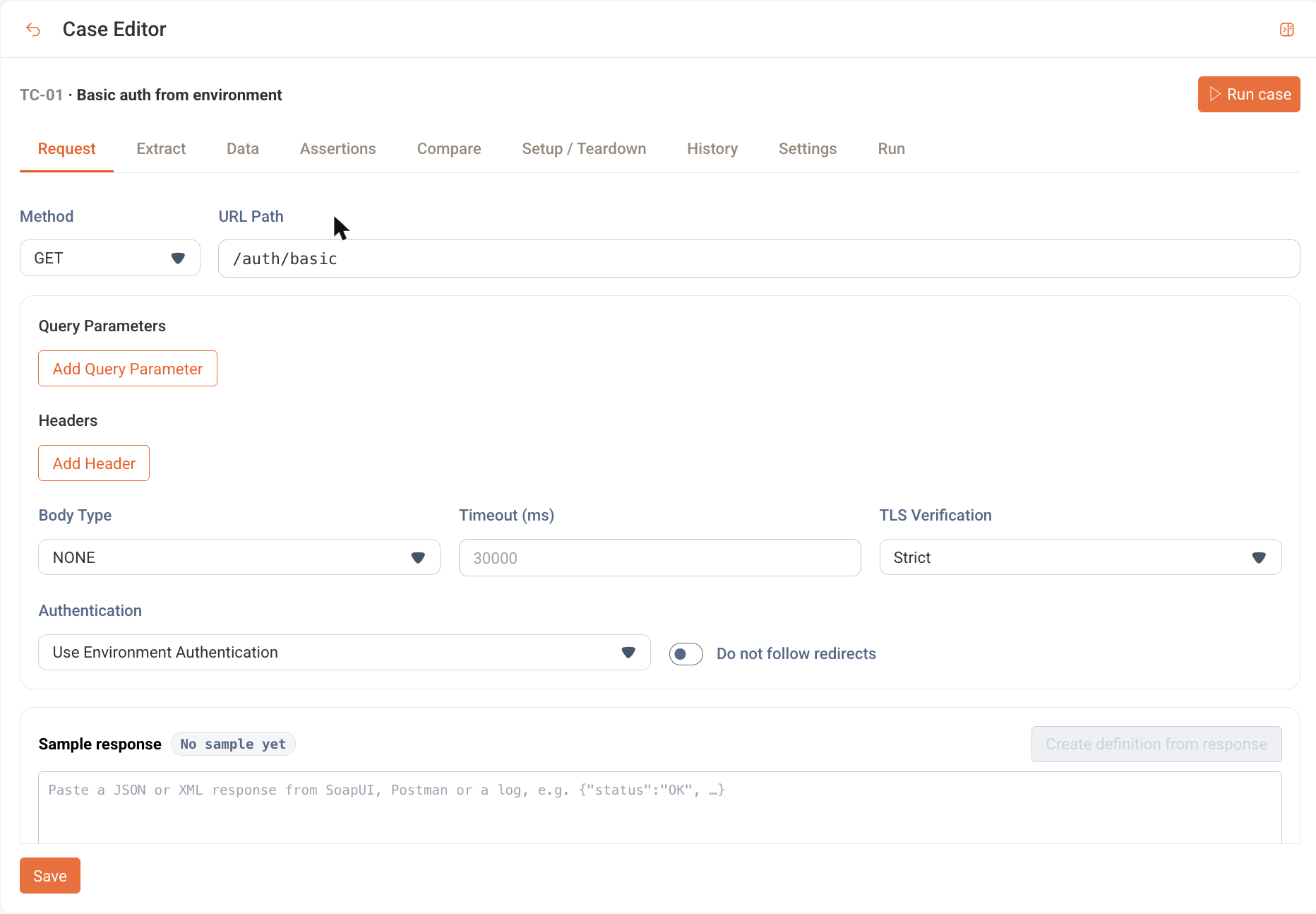
Case editor: "TC-01 · name" + Run case button; 9 tabs; Method, URL Path, Query Parameters (Add Query Parameter), Headers (Add Header), Body Type, Timeout, TLS Verification, Authentication, redirect toggle.
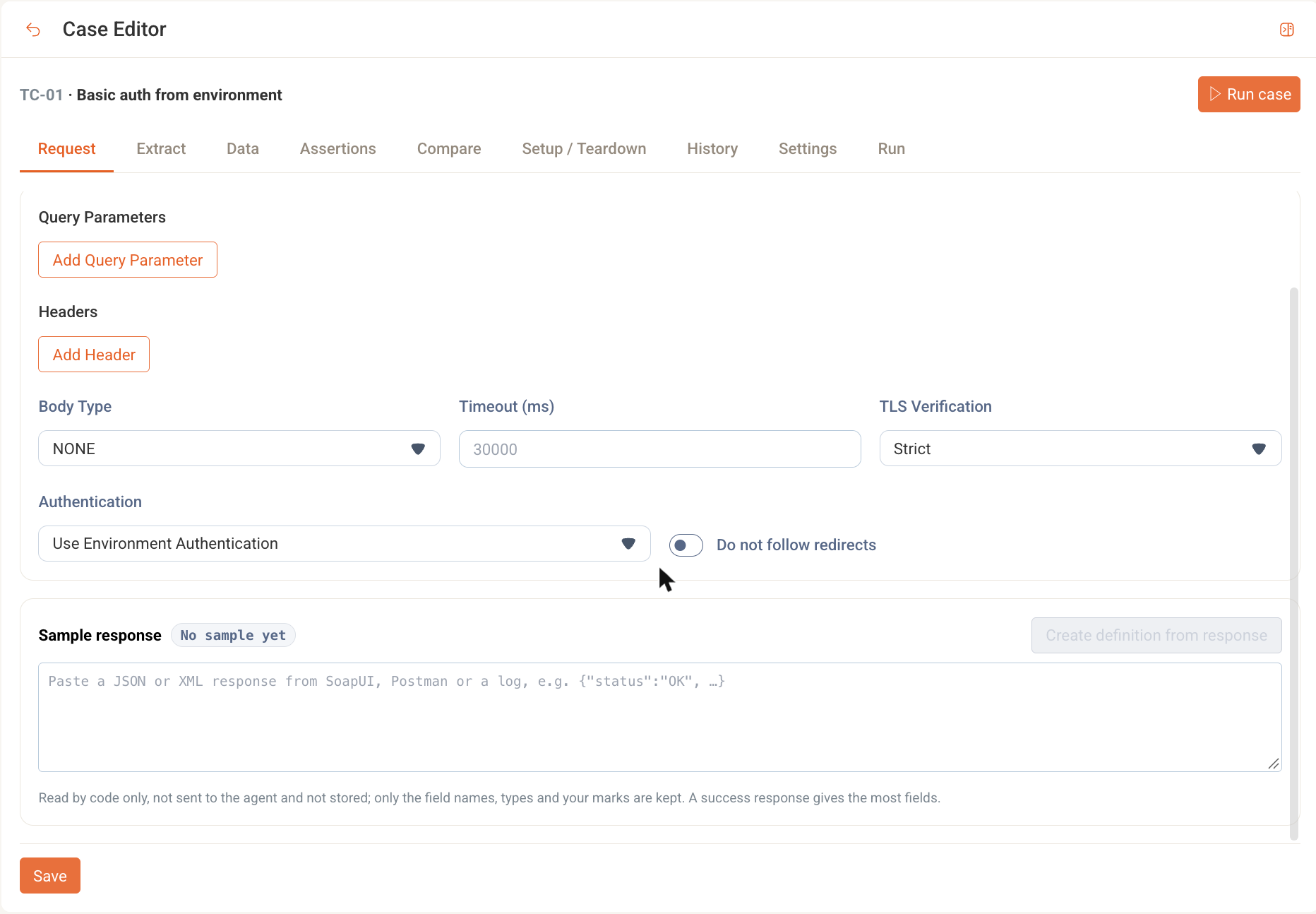
Lower part: Sample response panel (paste JSON/XML) and Create definition from response button; Save button.
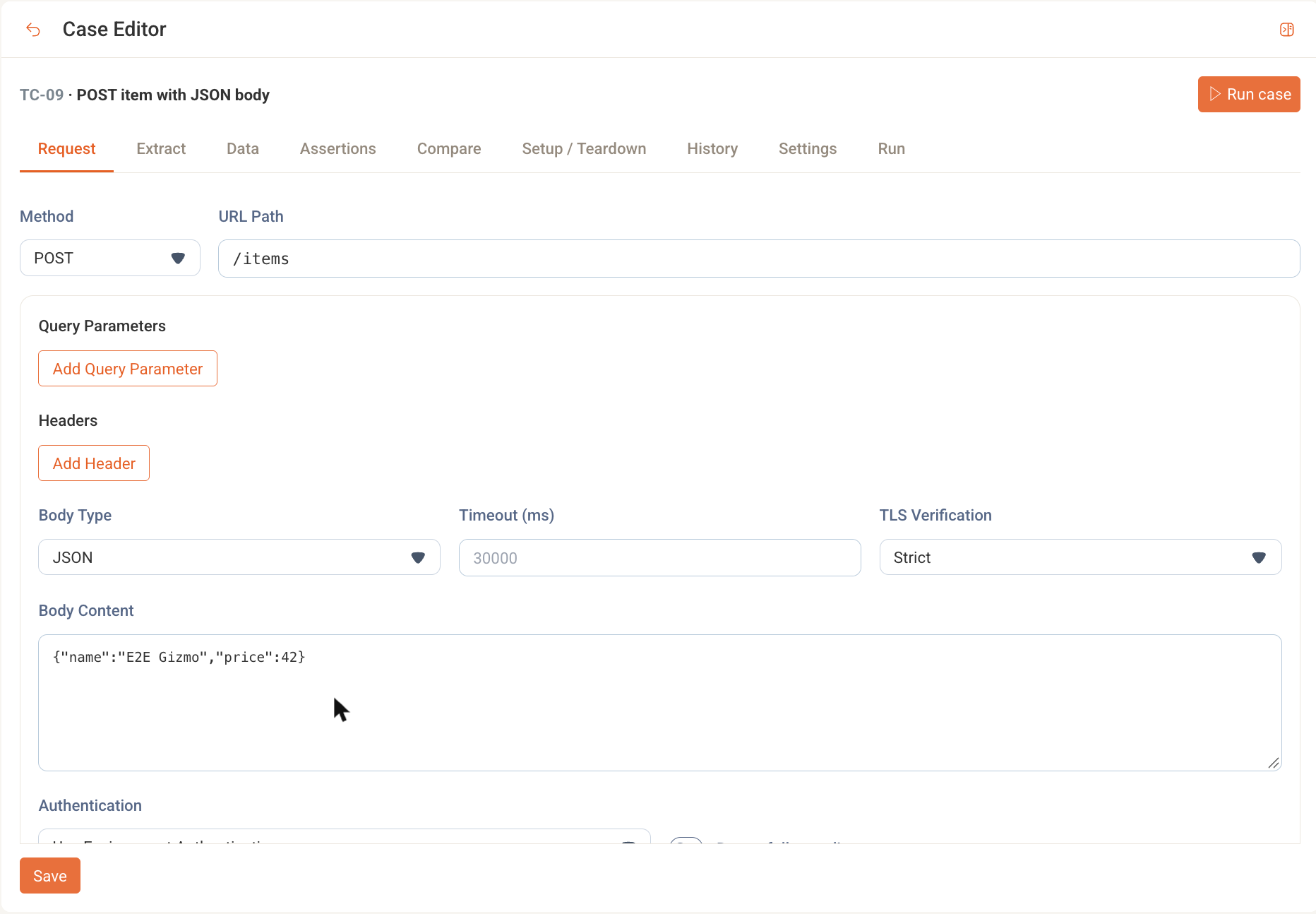
POST example: Body Type JSON and a JSON Body Content.
Purpose: define the request that is sent. The editor header shows the Run case button and the tab list: Request, Extract, Data, Assertions, Compare, Setup / Teardown, History, Settings, Run.
| Element | Source / options | Function & result |
|---|---|---|
| Method | GET, POST, PUT, PATCH, DELETE, HEAD, OPTIONS | HTTP method. |
| URL Path | You enter, e.g. {{baseUrl}}/providers | Address. May contain {{ }}. |
| Query Parameters | Key/Value rows | Query parameters. The "Add Query Parameter" button adds a row; each row has an enabled toggle. |
| Headers | Key/Value rows | Request headers. |
| Body Type | NONE, JSON, XML, RAW, FORM | Kind of body. FORM shows Form Fields (Key/Value); the others show Body Content. |
| Body Content | You enter (text/JSON/XML), {{ }} allowed | Request body. |
| Timeout (ms) | Number (placeholder 30000); limited to 1–120000 | How long to wait for a response. |
| TLS Verification | Strict; Relaxed only if permitted | Strict verifies the server certificate; Relaxed loosens it (for test servers). |
| "Do not follow redirects" toggle | Toggle (default off) | Off = 3xx redirects are followed; on = not followed (useful to test the 301/302 response itself). |
| Sample response panel + Create definition from response | You paste JSON/XML (SoapUI, Postman, log) | Badge "No sample yet". The button creates an Inferred definition from the sample (field names, types and your marks are kept; the response content is not stored and not sent to the agent). A success response gives the most fields. |
| Authentication | Use Environment Authentication, No Authentication, Basic, Bearer, API Key, OAuth2 Client Credentials, Secret Reference | Overrides the environment auth for this case. "No Authentication" forces no auth (useful to test 401). Secret fields are picked from the vault; if missing: "This reference is not in your vault". |
| Auth fields: Username, Header name, Token URL, Client ID, Scope | You enter | Depends on the auth type (see Environments). Password/Token/Key/Client secret use a secret. |
| Extract into Variables (in an HTTP step) | See The Extract tab | Only appears on Setup/Teardown HTTP_REQUEST steps. |
| Bottom bar Save / Discard | — | Saves this tab's changes into the draft. A version conflict shows Reload Latest Draft. |
