Case settings
info
Before you start.
- You need a case in a collection (Cases tab).
- Permissions: Update Test Case; Export Test Case to export; Delete Test Case to delete (Permissions).
The case Settings tab
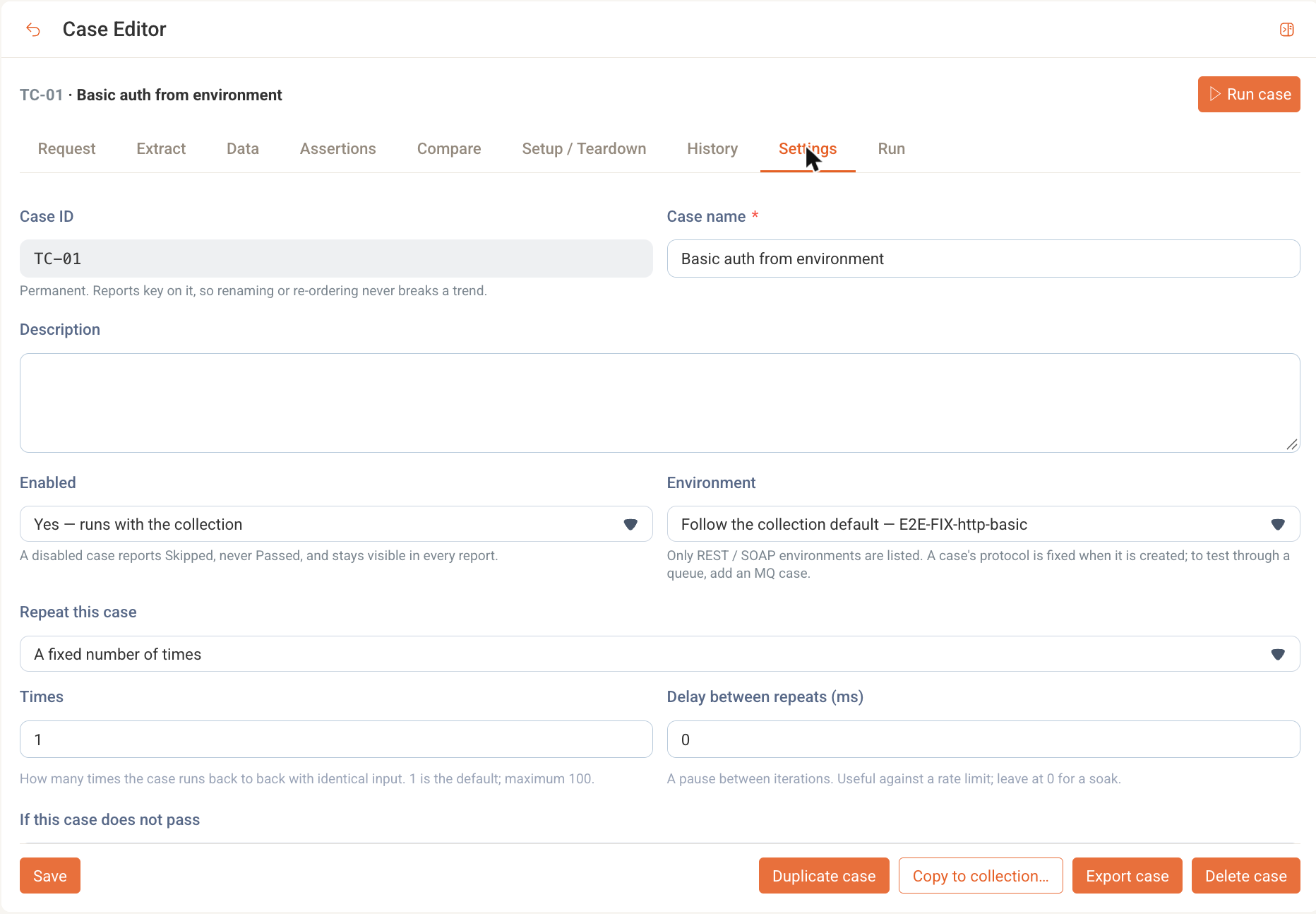
Settings top: Case ID (locked), Case name, Description, Enabled, Environment, "Repeat this case".
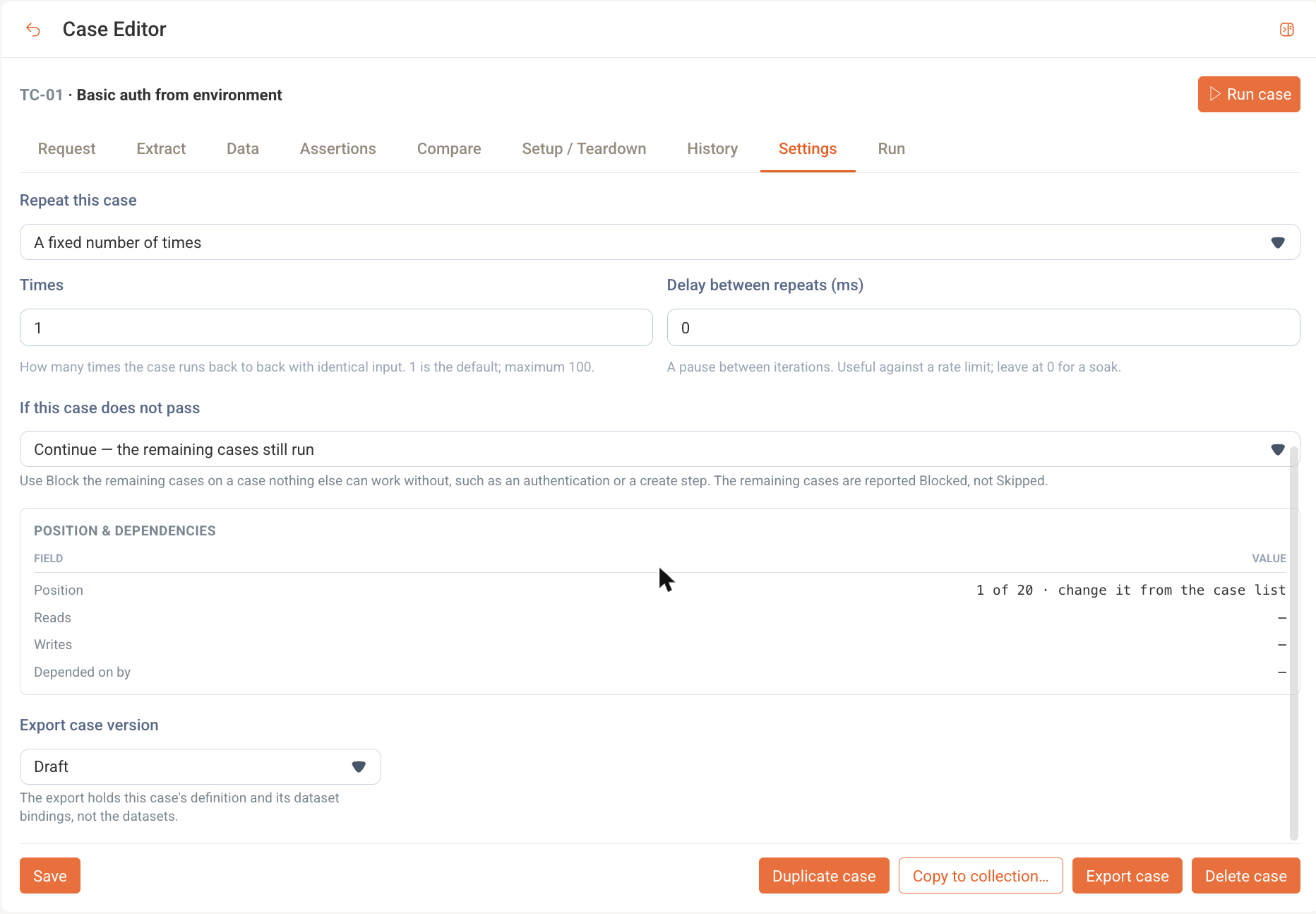
Settings bottom: Delay between repeats, If this case does not pass, POSITION & DEPENDENCIES, Save, Duplicate case, Copy to collection…, Export case, Delete case.
| Element | Source / options | Function & result |
|---|---|---|
| Case ID | Automatic, cannot be changed | Permanent; reports key on it so renaming/re-ordering never breaks a trend. |
| Case name, Description | You enter | Name and note. |
| Enabled | "Yes — runs with the collection" / "No — reports Skipped" | A disabled case reports Skipped (never Passed) and stays visible. Disabling a case that others read only warns; those cases will be Blocked on the next run. |
| Environment | "Follow the collection default — name" or "Pin to name" | Only environments of the same protocol; the case protocol is fixed from creation. To test through a queue, add an MQ case. |
| Repeat this case | A fixed number of times / Until a variable is empty | Repeats the case without a dataset. |
| — Times | Number (default 1, with a maximum) | How many times back-to-back with identical input. |
| — Until this variable is empty | A variable that the Extract tab saves as a Value | Repeats until the variable (e.g. next page key) is empty. It starts empty, so the first request asks for page 1 (pagination). |
| — Stop after at most | 1 up to a limit | Safety limit: if the variable is still not empty after this many runs, the case fails. |
| — Delay between repeats (ms) | Number | Pause between iterations (avoids rate limits); 0 for a soak test. |
| If this case does not pass | Continue / Block the remaining cases | Use "Block the remaining cases" for a case nothing else can work without (login, create). The remaining cases are reported Blocked, not Skipped. |
| POSITION & DEPENDENCIES | Automatic | Position (order, changed from the case list), Reads (variables read), Writes (variables written), Depended on by (dependent cases). |
| Export case version | Draft or Published v n | The exported version. The export holds the case definition and its dataset bindings, not the datasets. |
| Duplicate case | — | Duplicates the case in this collection. |
| Copy to collection… (dialog) | Target collection; Source version (blank = draft) | Copies into another collection with a new key (appended at the end). Case-owned datasets are copied; collection-wide datasets the case uses must also exist in the target collection (otherwise the copy is refused with IMPORT_REFERENCE_UNRESOLVED). |
| Export case | Needs the export permission | Downloads the case file. |
| Delete case | Confirmation "permanently deletes" | Deletes; dependent cases will be Blocked if the references are not removed. |
| Save / Discard | — | Save to the draft / discard. |
