Upload Document
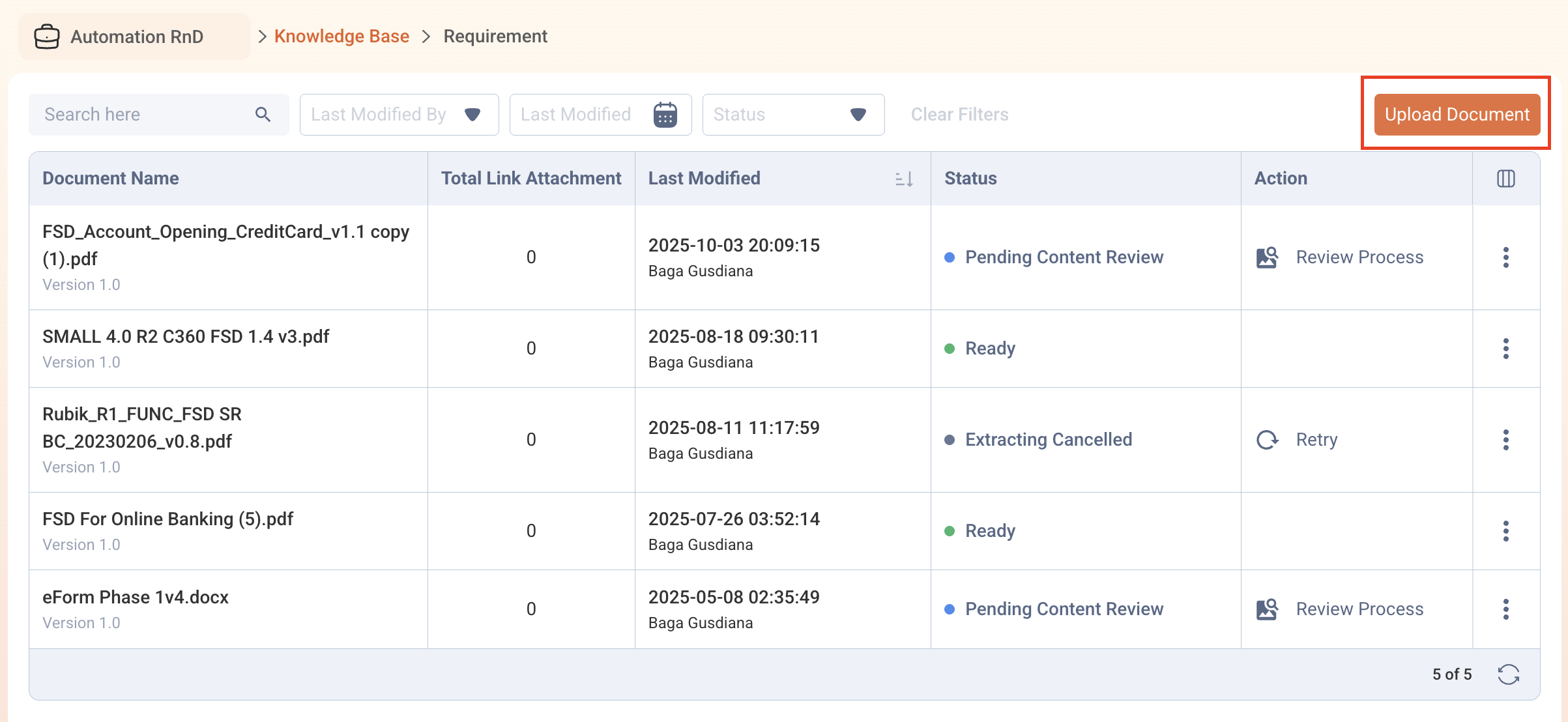
Click Upload Document to open the Upload Document dialog.
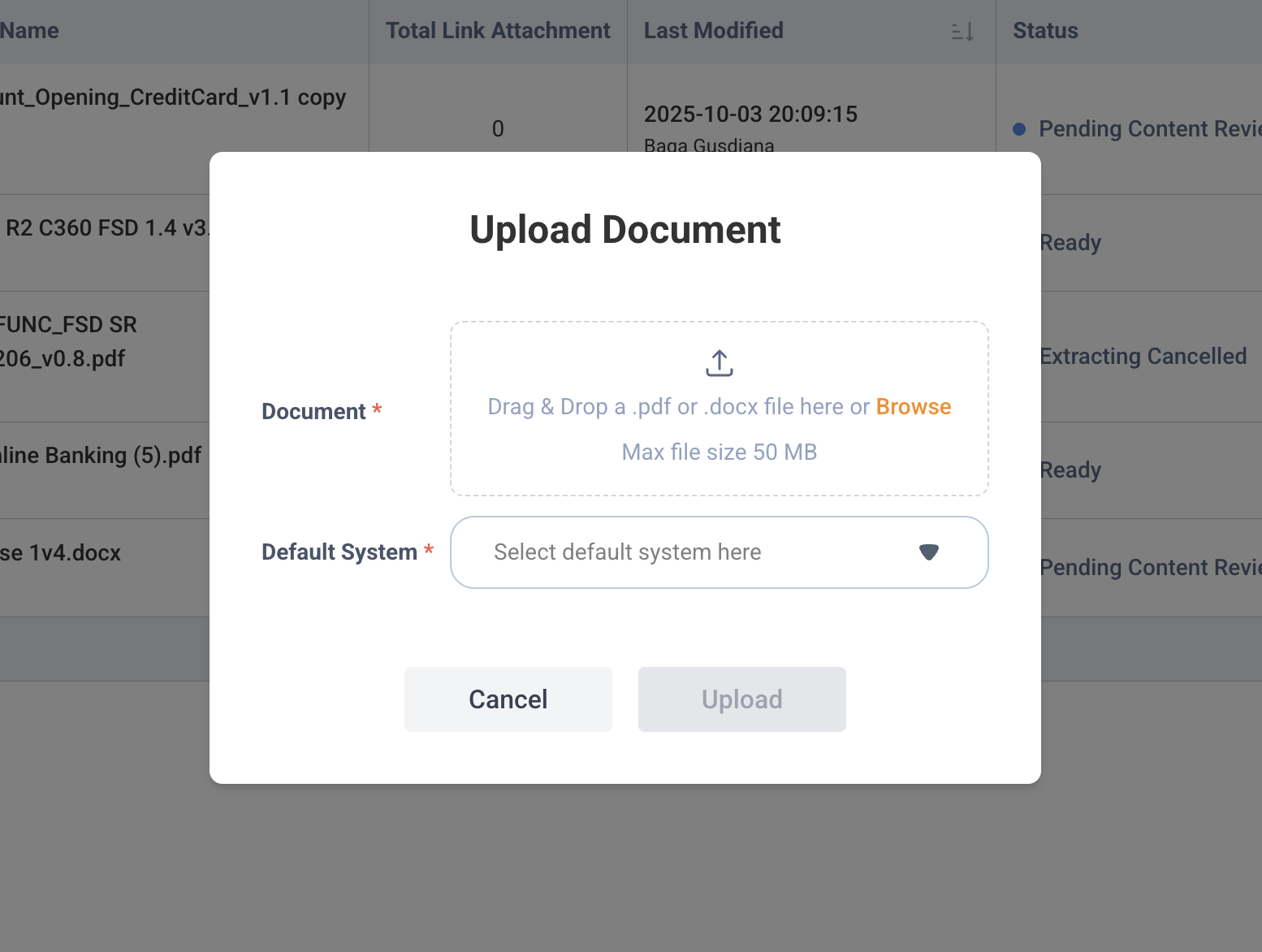
- Drag and drop a .pdf or .docx file into the upload area, or click Browse to select one (required). Maximum file size is 50 MB.
- Select a Default System from the dropdown (required).
- Click Upload to add the document, or Cancel to discard it.
