Requirement List
Requirement lists the requirement documents uploaded to the workspace.
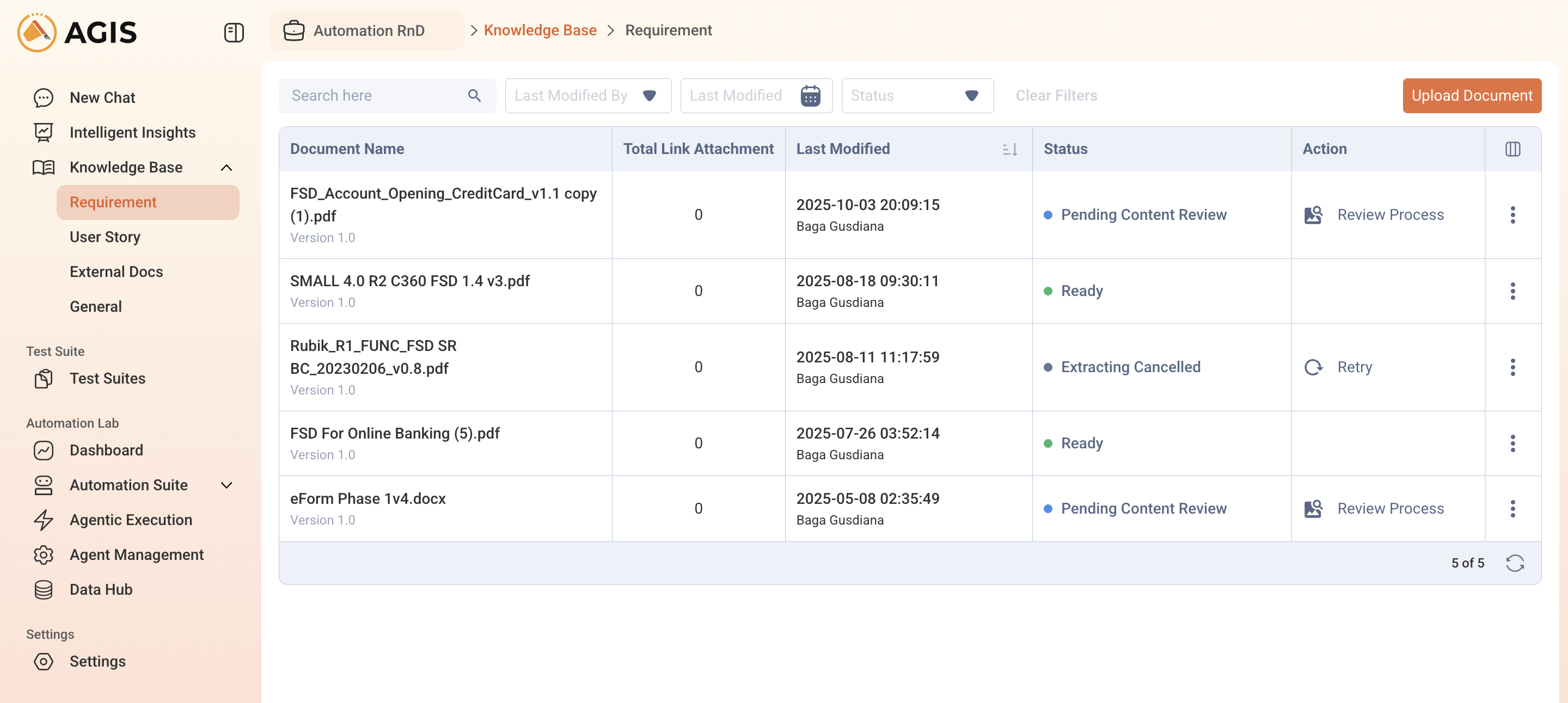
At the top of the page you can:
- Search here — search documents by name.
- Last Modified By — filter by who last modified the document.
- Last Modified — filter by a date/date range.
- Status — filter by document status.
- Clear Filters — reset all applied filters.
- Upload Document — upload a new requirement document.
The table shows:
| Column | Description |
|---|---|
| Document Name | The document's file name, with its version shown underneath (e.g. Version 1.0) |
| Total Link Attachment | Number of link attachments on the document |
| Last Modified | Date/time of the last change, and who made it |
| Status | The document's current status |
| Action | A shortcut action that depends on the document's status (see below) |
Click the ⋮ icon at the end of a row to open more actions for that document.
Status and Action
The Action column shows a shortcut button for documents that need attention:
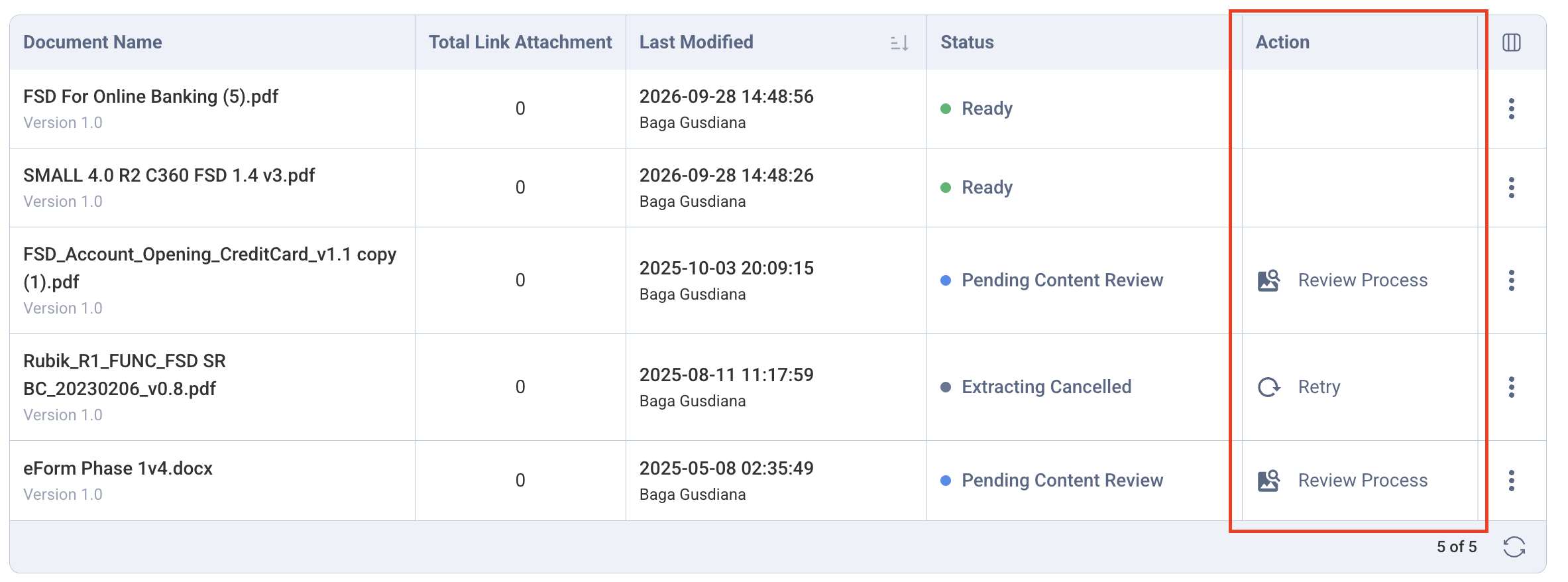
| Status | Action shown |
|---|---|
| Pending Content Review | Review Process |
| Extracting Cancelled | Retry |
| Ready | None |
