Agent Management
The page has two tabs: Agent and Device.
Agent Tab
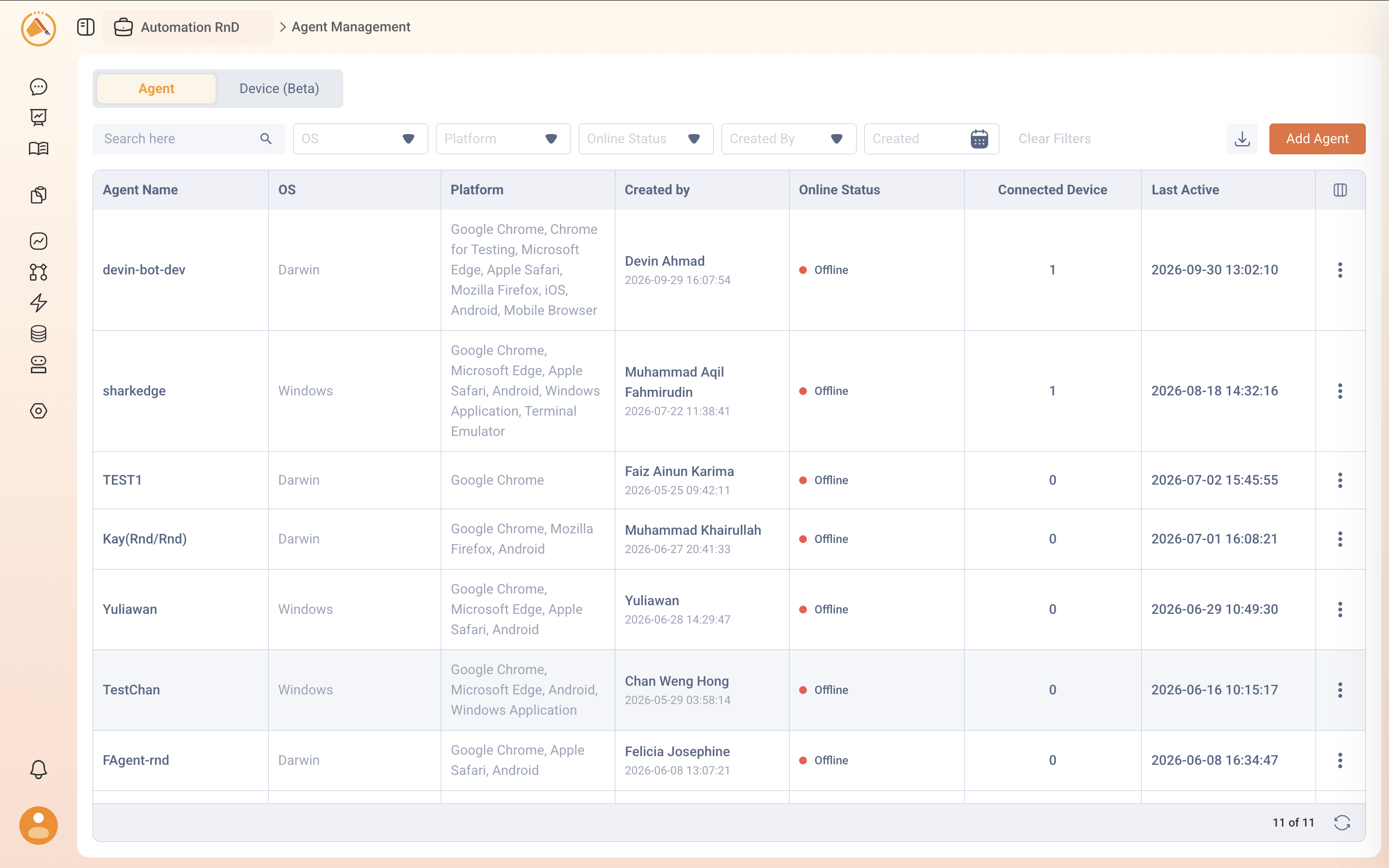
List of every agents registered in the workspace, can be filtered through name, os, platform, created by, and created date.
| Column | Description |
|---|---|
| Agent Name | Agent name. Hover and click to open agent details. |
| OS | Operating system the agent runs on. |
| Platform | Supported browsers. |
| Created by | Creator's name and creation timestamp. |
| Online Status | Online, Offline, or Never Connected. |
| Connected Device | Number of devices hosted by the agent. Hover and click to view those devices. |
| Last Active | Last time the agent was active. |
Row menu: View Details and Delete Agent
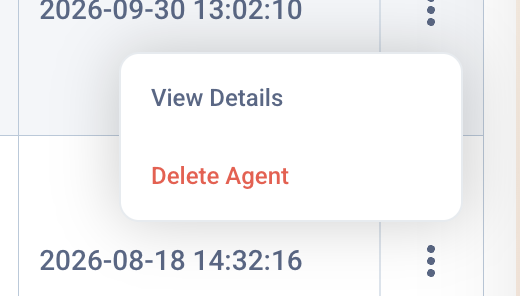
- View Details opens the selected agent's details panel.
- Delete Agent deletes the selected agent.
Agent Details Panel
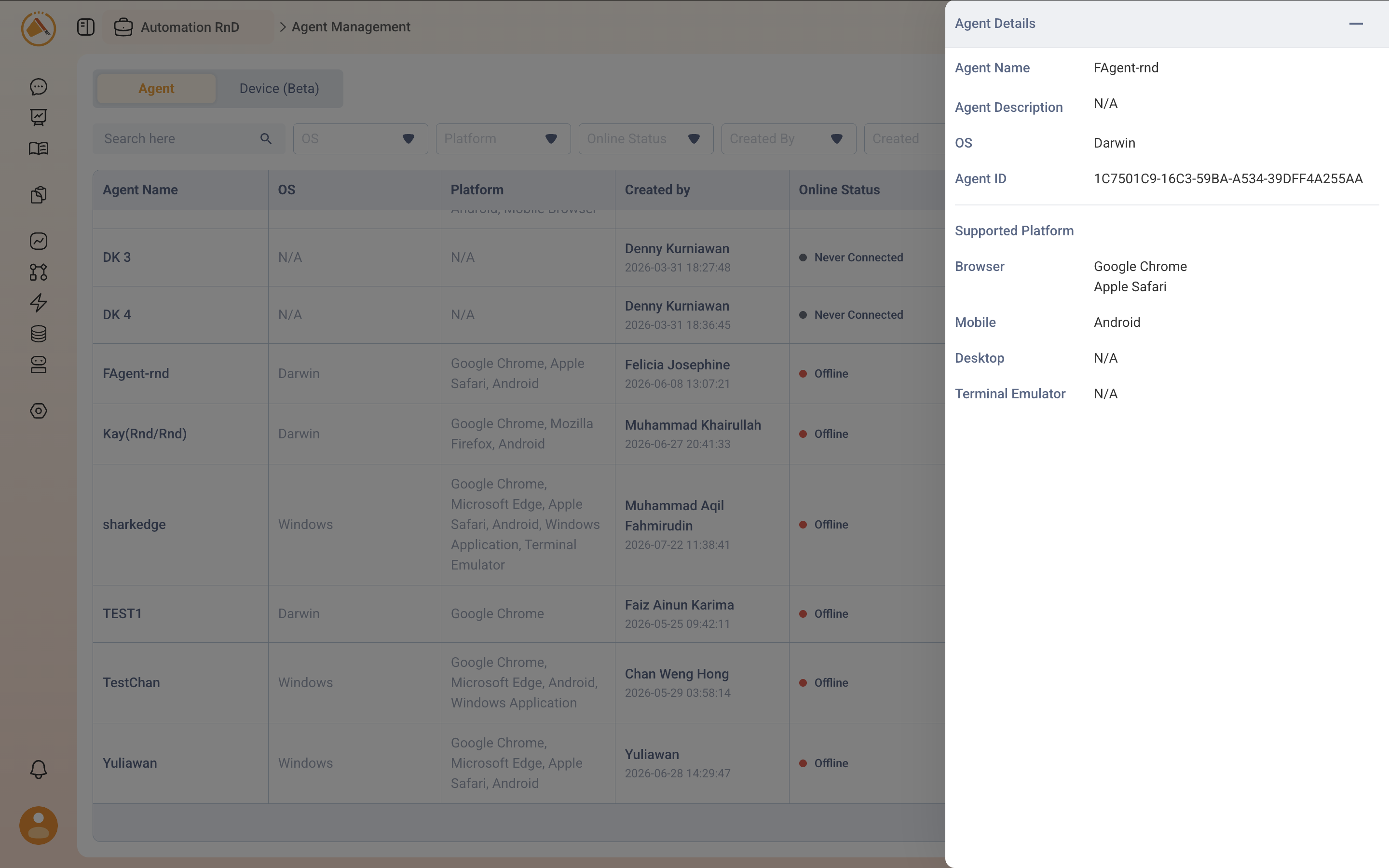
The agent details panel displays the following information:
- Agent Name, Agent Description, OS, Agent ID
- Supported Platform (
N/Aif unsupported)
Create Agent
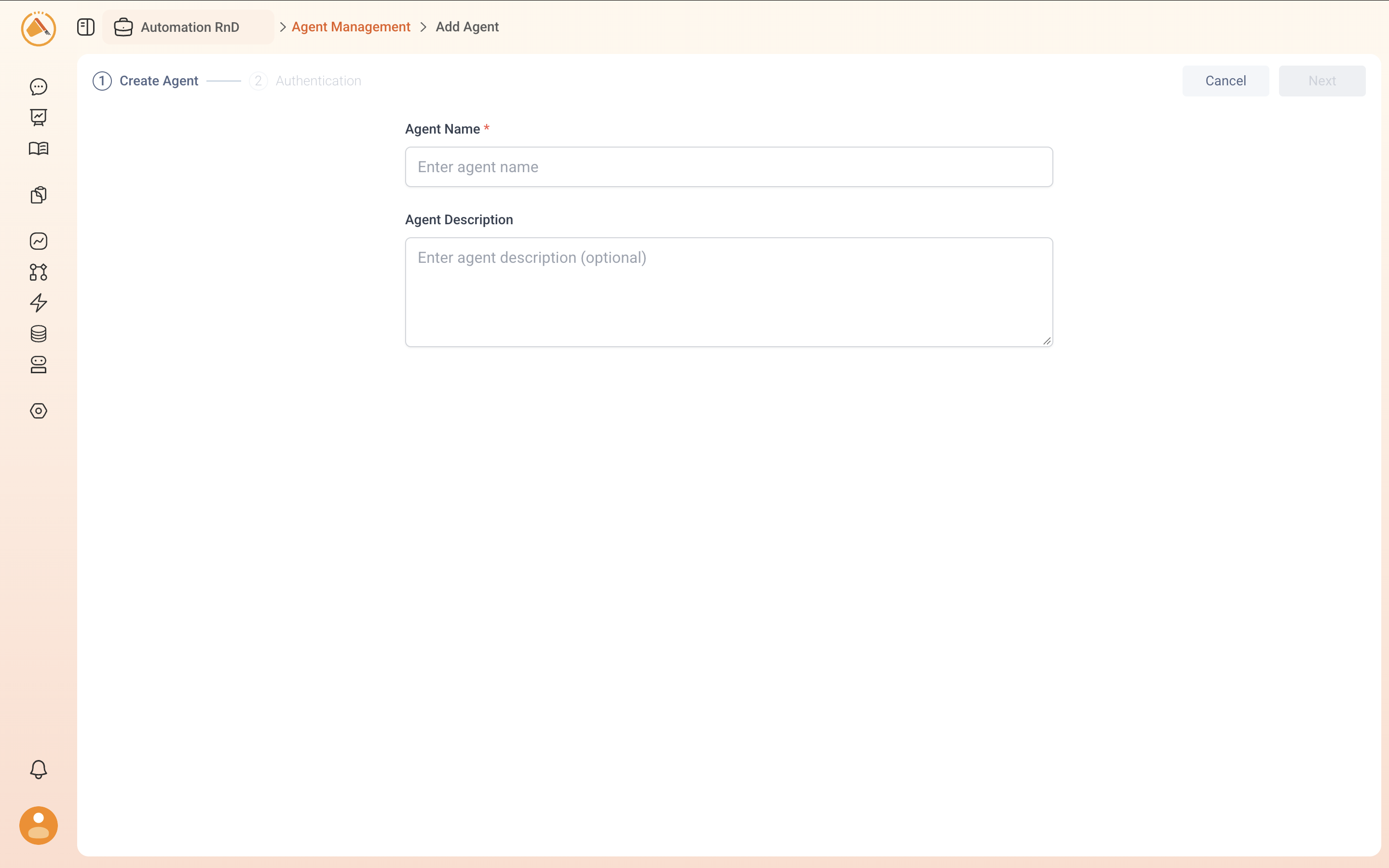
| Field | Required | Description |
|---|---|---|
| Agent Name | Yes | Name shown in the agent list. |
| Agent Description | No | Description of the agent. |
Click Cancel to leave without creating the agent.
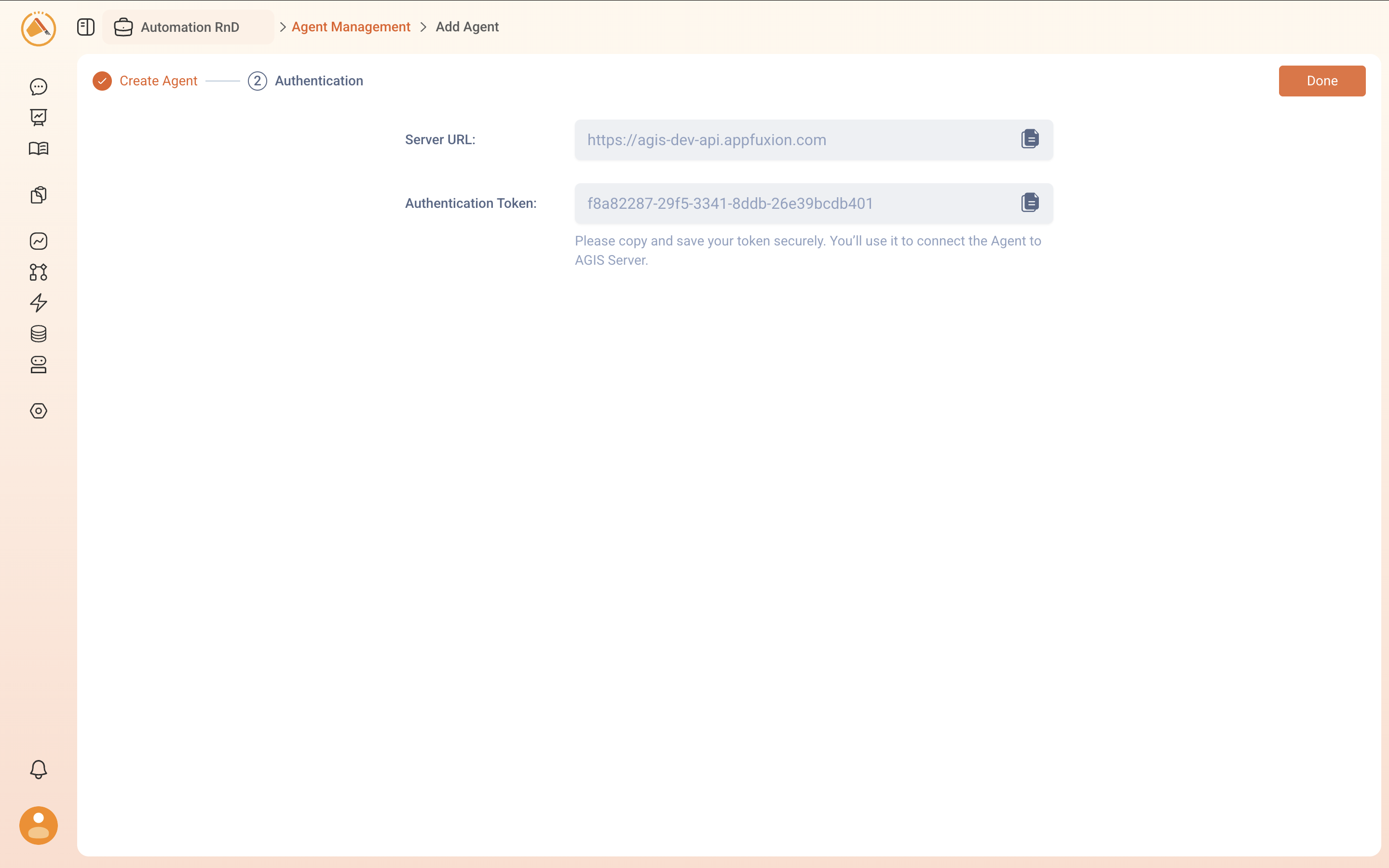
After the agent is created, the page shows the details needed to connect it:
| Field | Description |
|---|---|
| Server URL | AGIS Server address the agent connects to. |
| Authentication Token | Unique token for this agent. |
Each field has a copy button. Click Done to return to the agent list.
Copy and save the token somewhere secure before clicking Done. The token is needed to connect the agent to the AGIS Server.
Paste the url and token into agis-agent application to run the agent.
Download Agent
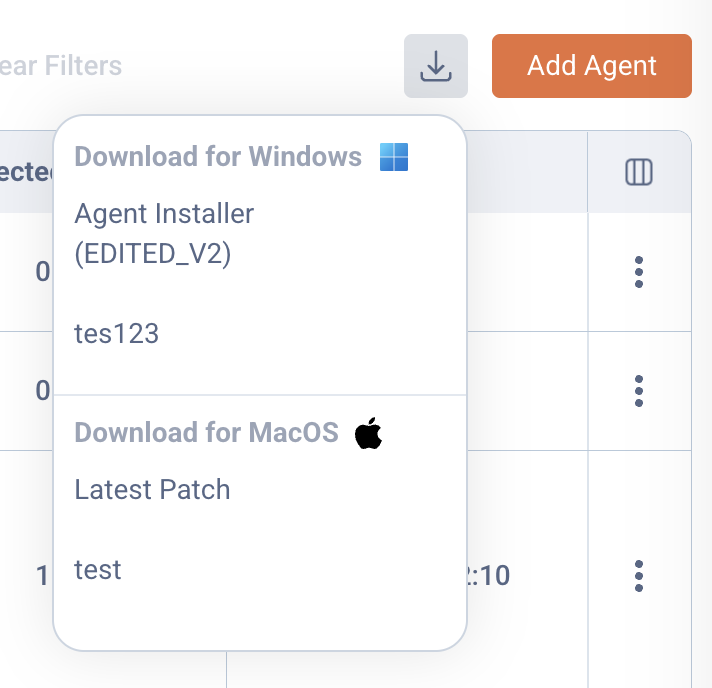
On the Agent tab, click the download icon next to Add Agent. The menu lists available installers by name, grouped by OS:
- Download for Windows
- Download for macOS
Device Tab
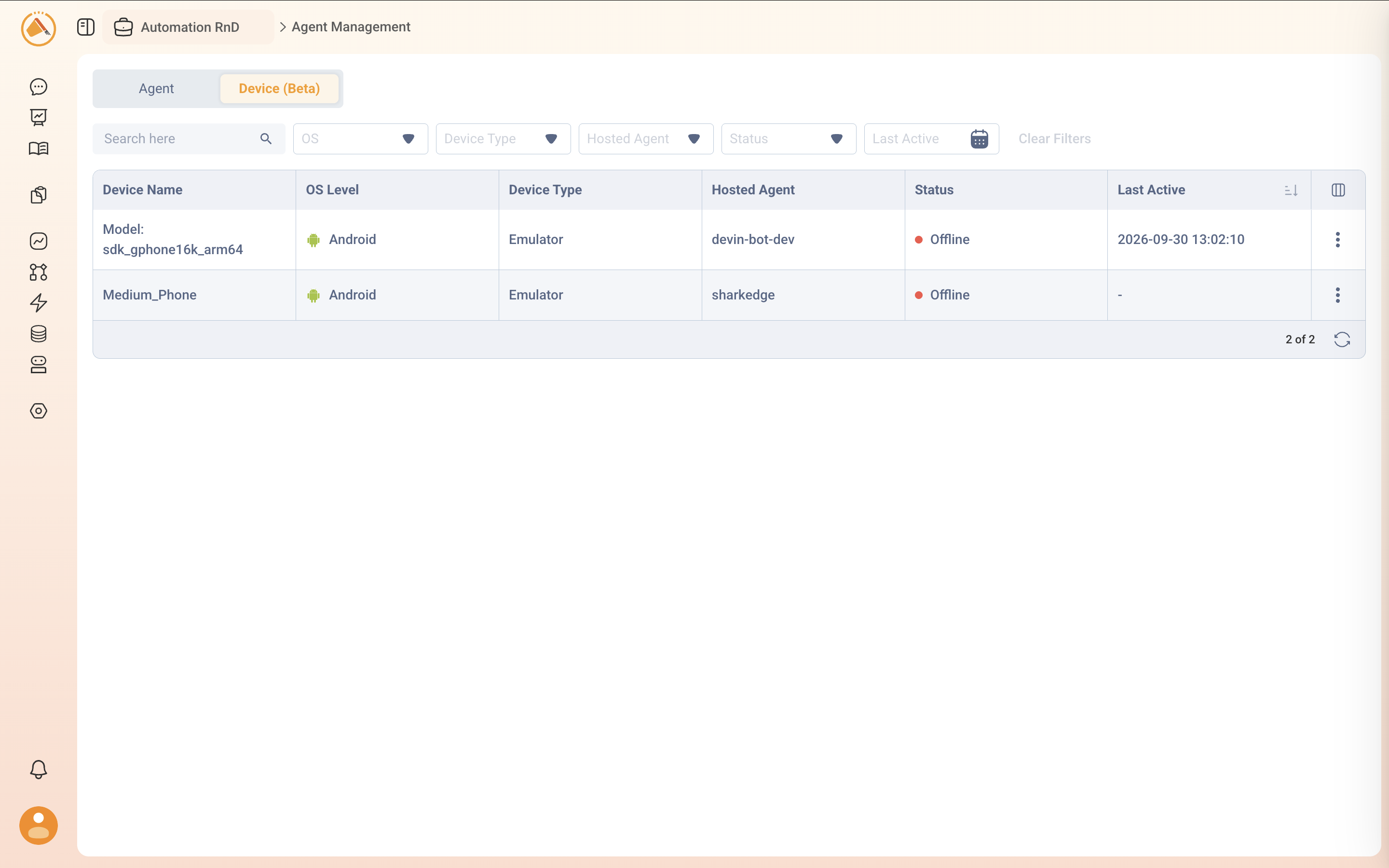
List of devices connected through agents, can be filtered through search bar, os, device type, hosted agent, status, and last active.
| Column | Description |
|---|---|
| Device Name | Device name. Hover and click to open Device Details. |
| OS Level | Device OS. |
| Device Type | Real device, Emulator, or Simulator. |
| Hosted Agent | Agent hosting the device. Hover and click to open agent details. |
| Status | Online, Offline, or Busy. |
| Last Active | Last activity time. |
Row menu: View Details and Delete Device
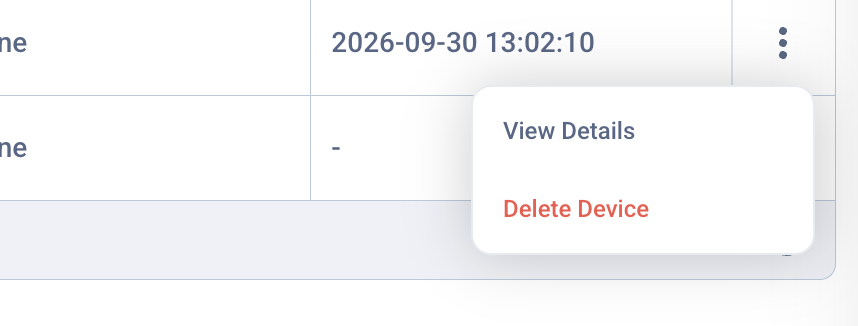
- View Details opens the selected device's details panel.
- Delete Device deletes the selected device.
Device Details Panel
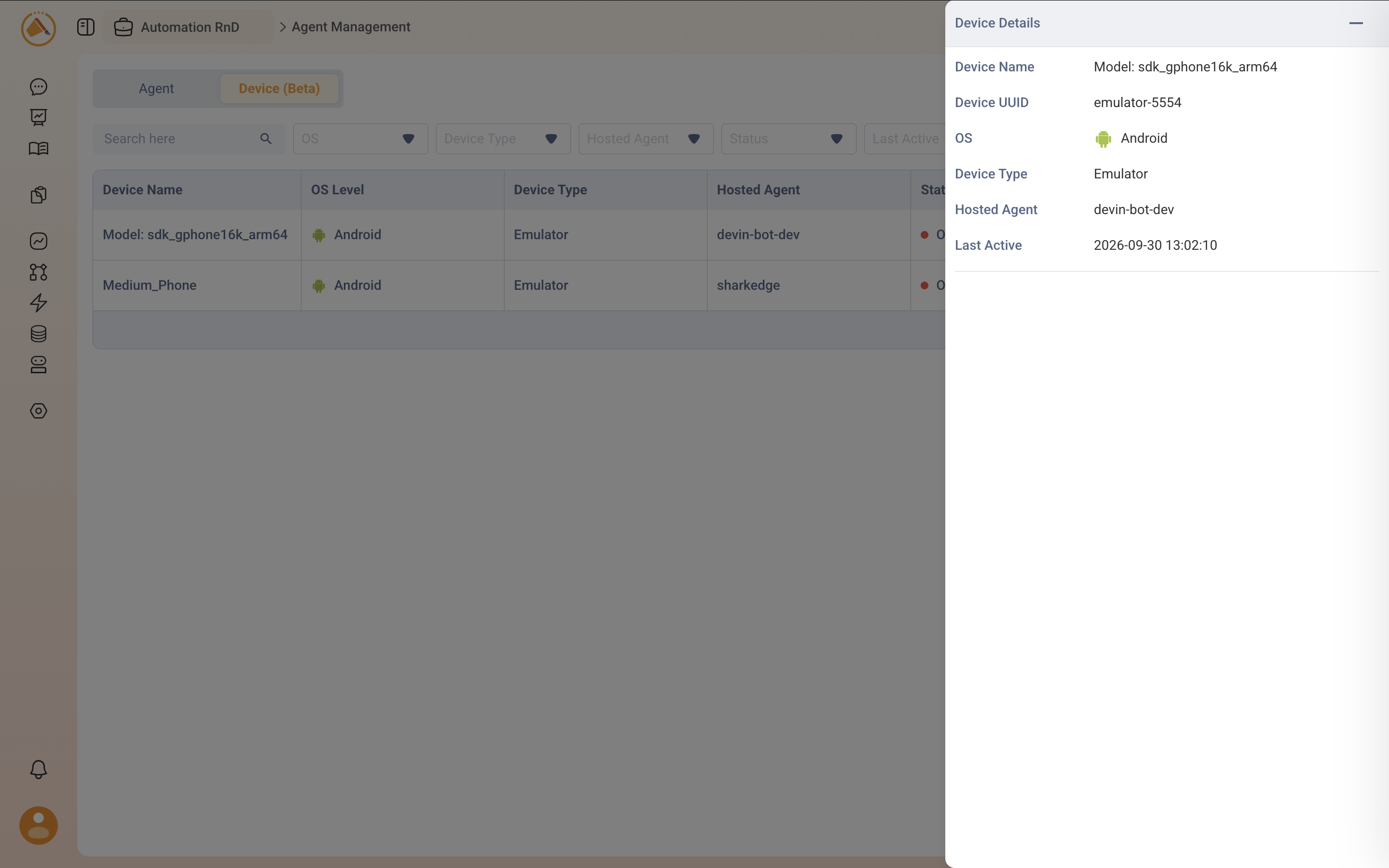
The Device Details panel displays the following information:
- Device Name
- Device UUID
- OS
- Device Type
- Hosted Agent
- Last Active
